DIP Cephの新規登録手順
-Registration steps for DIP Ceph-
⚠️ 2026年3月23日以降のご登録には、プラン選択およびクレジットカード情報の登録が必要です。
 ご登録日から7日間は無料でご利用いただけます。8日目の0時より自動課金が開始されます。

⚠️ From March 23, 2026, plan selection and credit card registration are required to register.
You can use the service free for 7 days from your registration date. Automatic billing will begin at midnight on the 8th day.
1. ホームページ:上部の右上【無料で新規登録】をクリック
  -Home page: Click [Sign up for free] on the top right
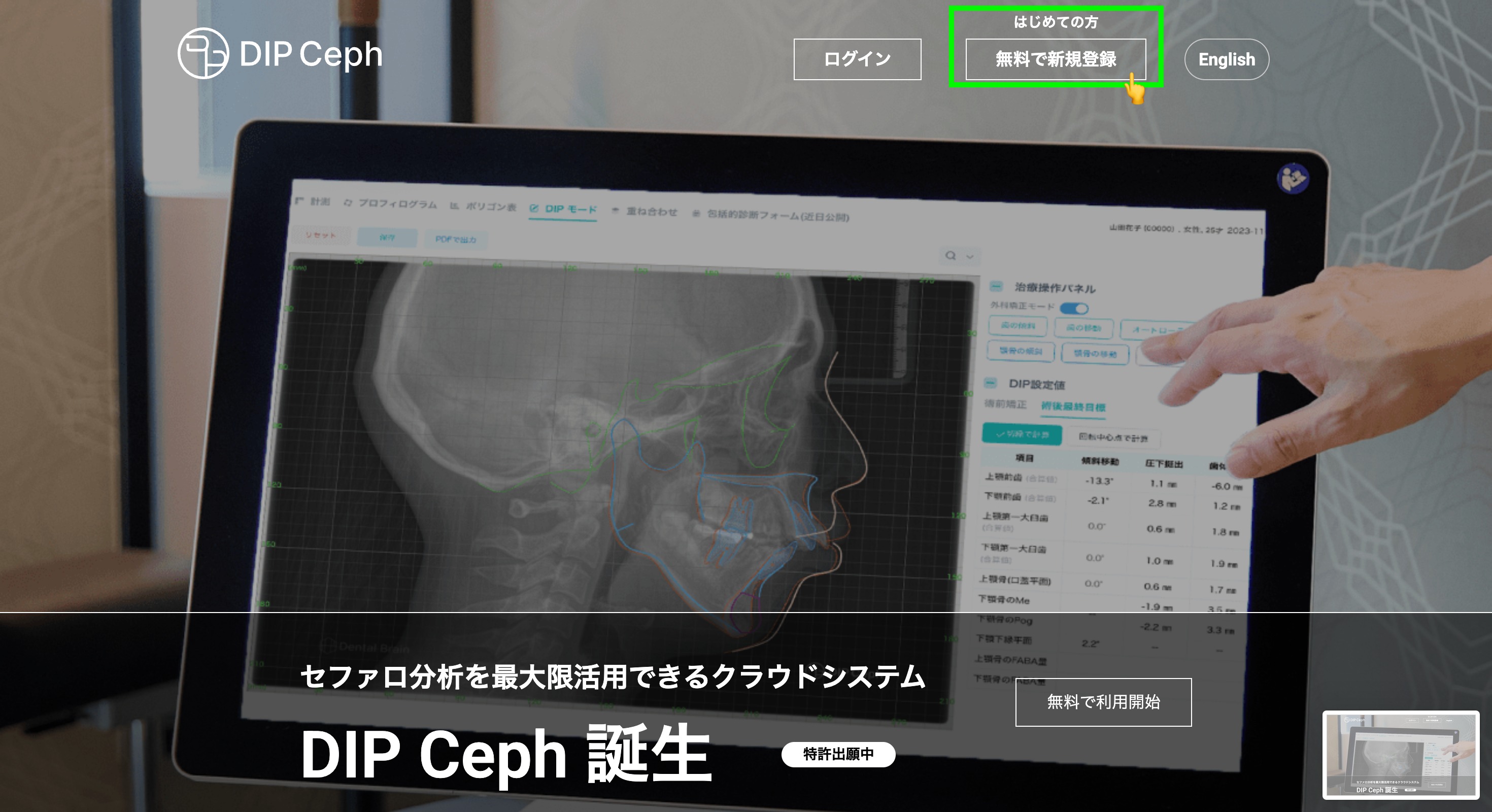
HPリンク]
日本語 https://dipceph.com/


English https://dipceph.com/en/
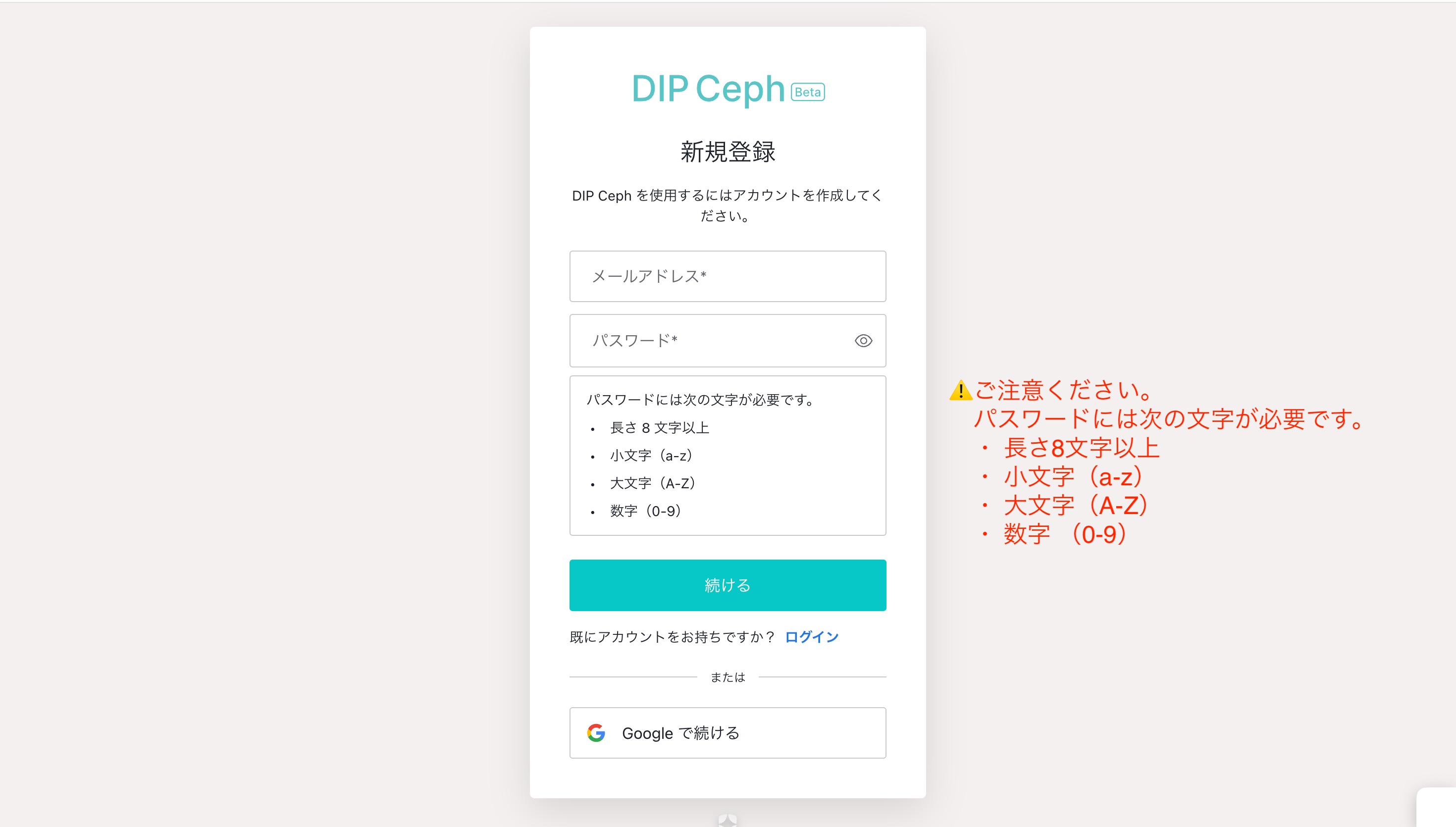
2. メールアドレス・パスワードを入力し、[続ける]をクリック
   or
  Googleアカウントでご登録の場合は、下部[Googleで続ける]をクリック

 -Enter your email address and password and click [Continue]
   or
 -If you registered with a Google account, click [Continue with Google] at the bottom
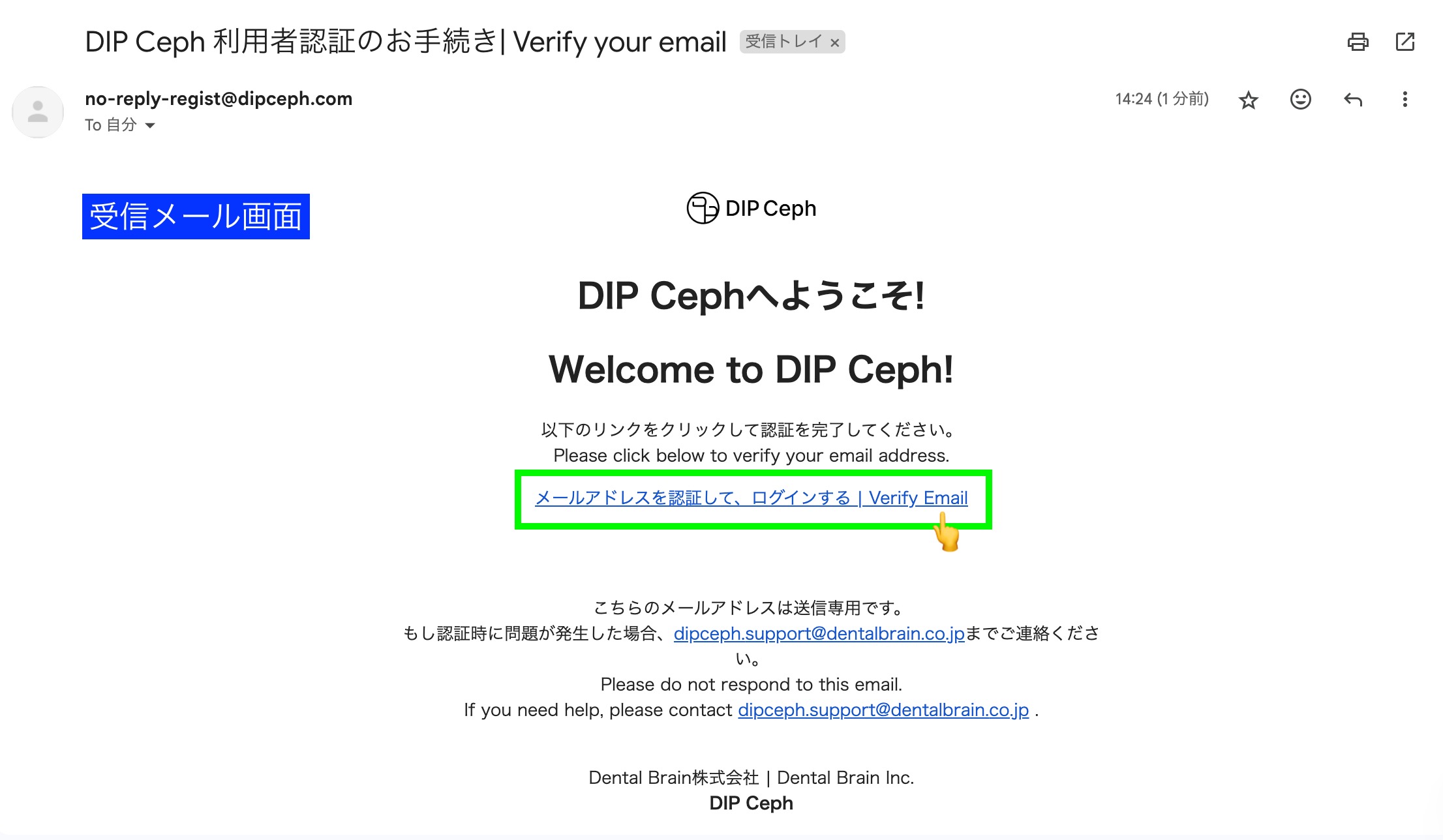
3.ご登録いただいたメールドレスに認証メールをお送りしています。
 [メールアドレスを認証して、ログイン]をしてください。
 -A verification email has been sent to the email address you registered.
  Please [Verify your email address and log in].
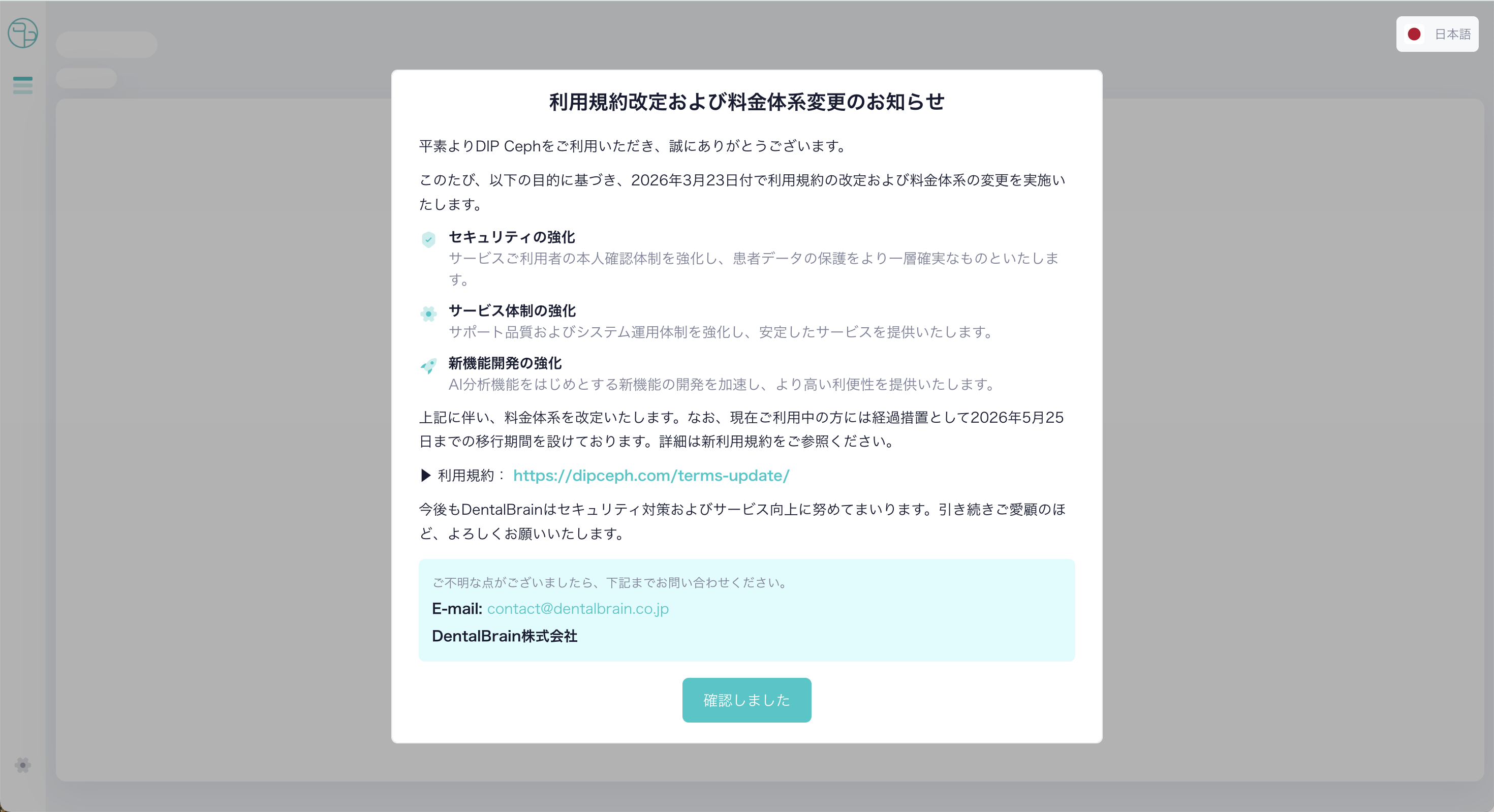
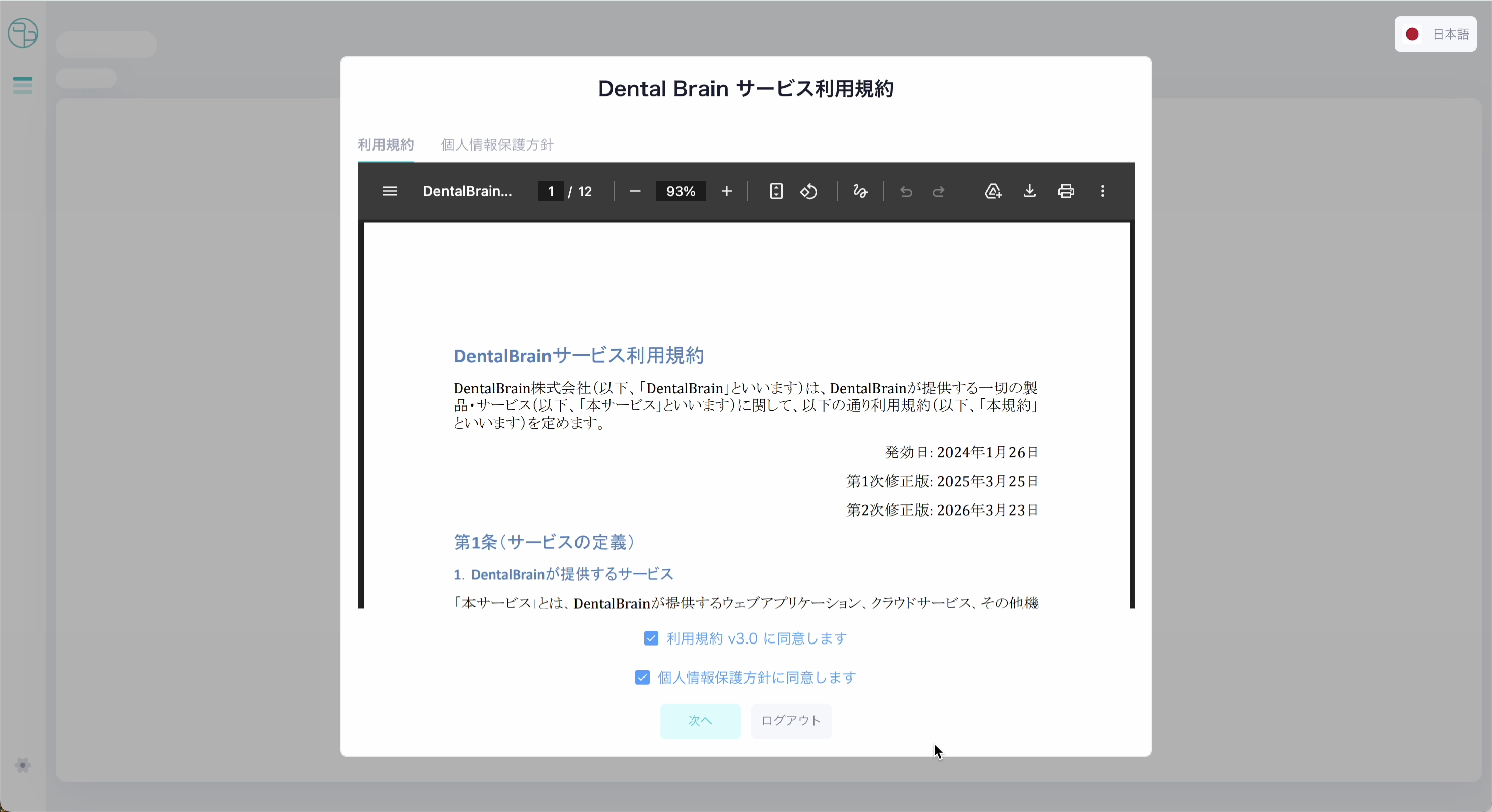
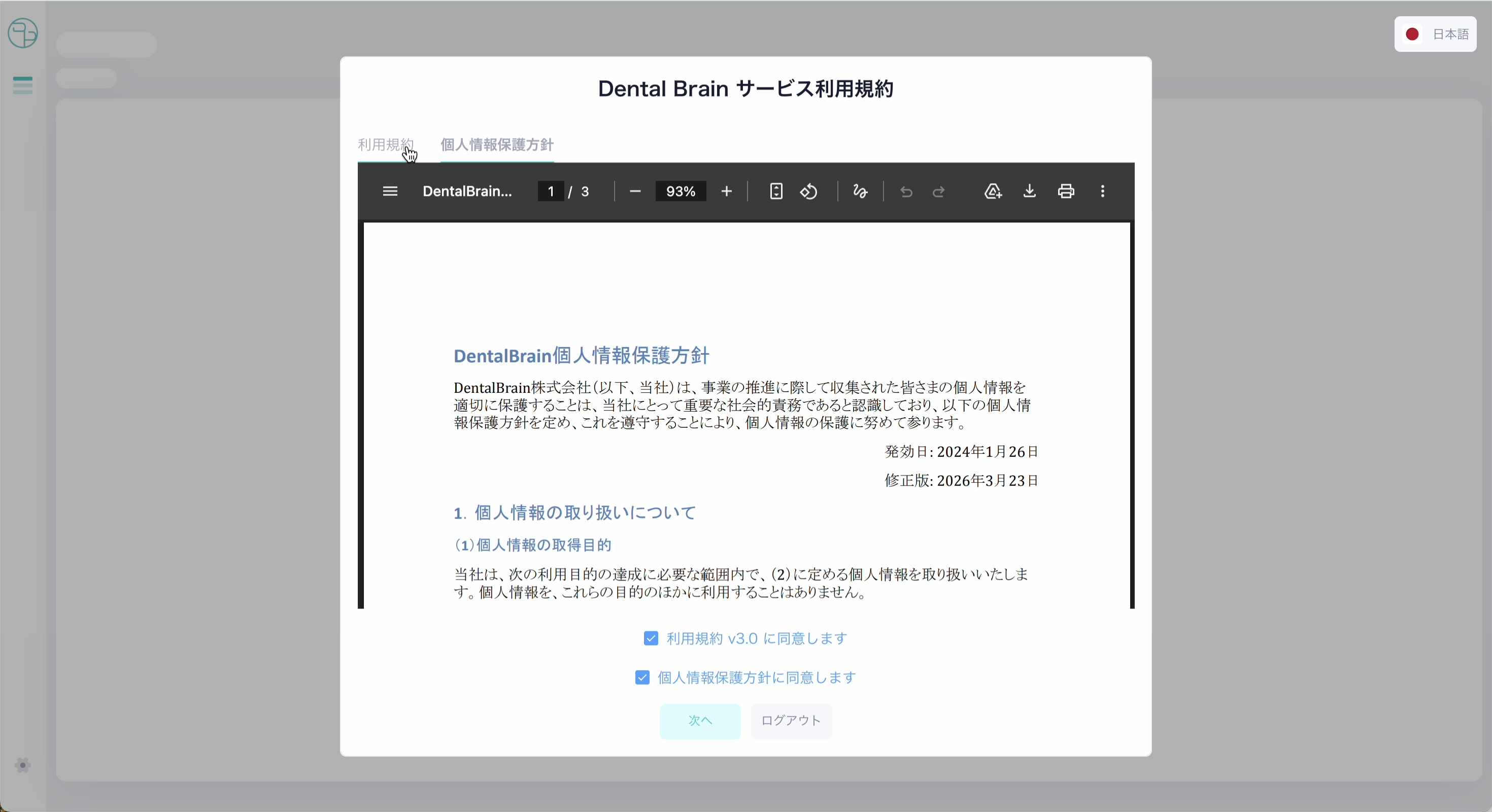
4.利用規約・個人情報保護方針をご確認の上、同意するに✅、[次へ]をクリック
 -Please read and agree to the Terms of Use and Privacy Policy, then click [Next].
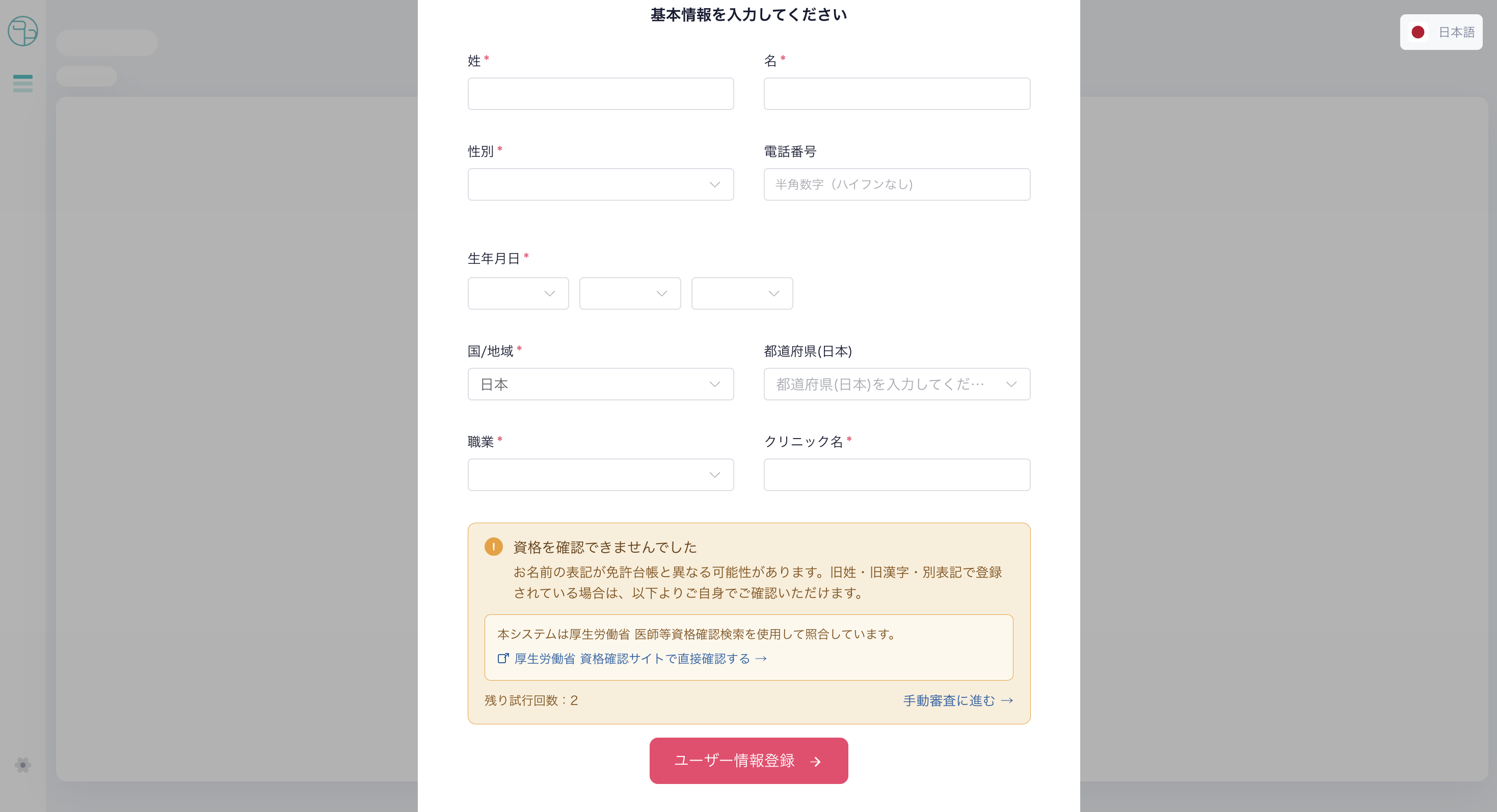
5.ユーザー情報を入力し、[ユーザー情報登録]をクリック
  ・お名前・性別は、厚生労働省の医師等資格確認検索システムと自動照合されます。
  ・免許台帳のお名前・性別と一致した場合、そのまま次のステップへ進みます。

 -Enter your user information and click [Register User Information]
  ・Your name and gender will be automatically verified against the
   Ministry of Health, Labour and Welfare's license database.
  ・If your name and gender match the registry, you will proceed to the next step.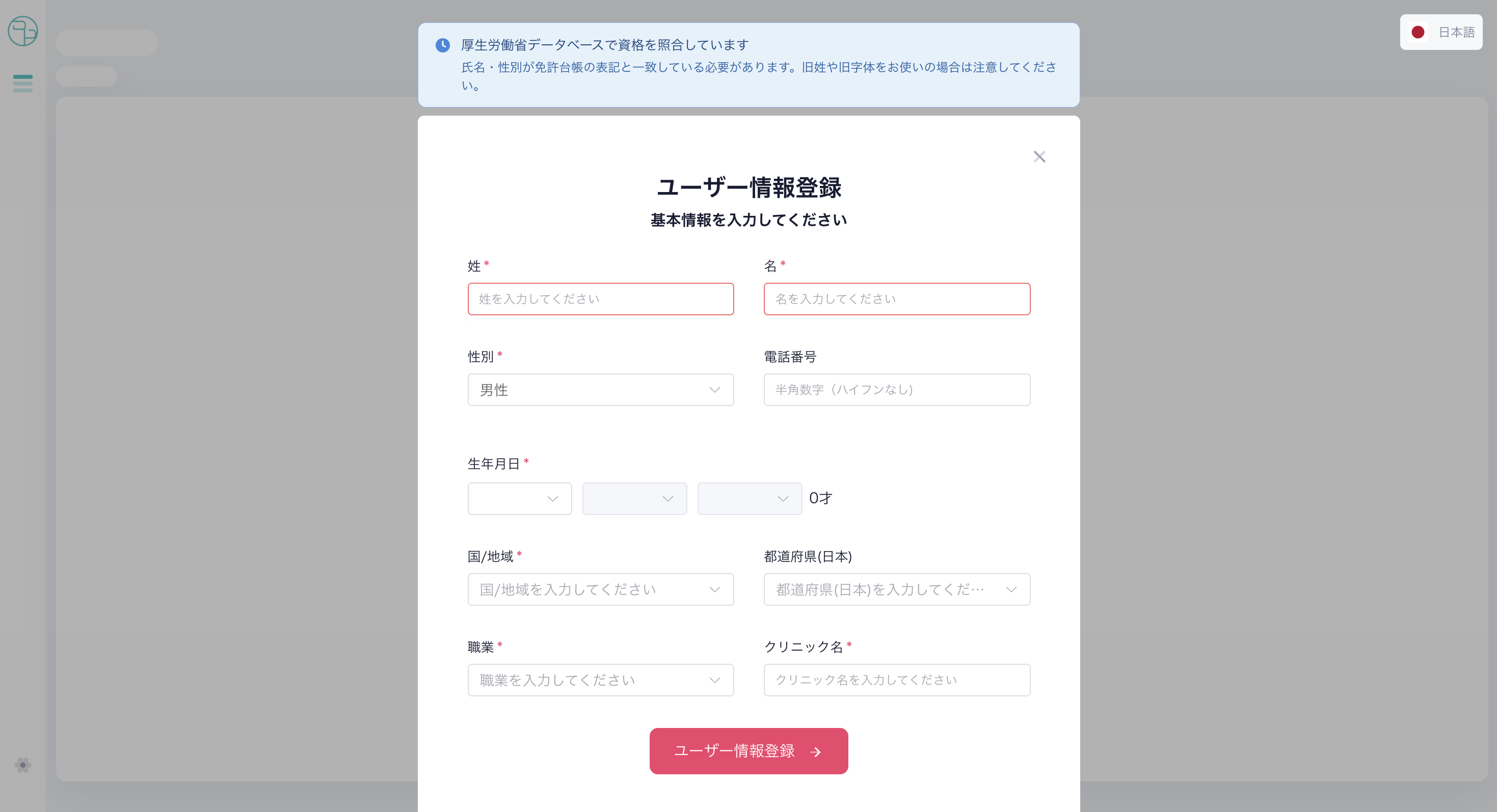
ℹ️ 歯科医師の資格が確認できない場合には、お名前の表記が免許台帳と異なる可能性があります。
 旧姓・旧漢字・別表記で登録されている場合にはご注意ください。
 以下のリンクより、ご自身でも事前にご確認いただけます。
  https://licenseif.mhlw.go.jp/search_isei/jsp/top.jsp

ℹ️ If your dental license cannot be verified, your name may differ from the license registry.
 Please note that names registered under a maiden name, old kanji, or alternative spelling may not match.
 You can verify your registration in advance at the link above.
6-A.
 ご希望のプランを選択後、クレジットカード情報を入力してください
  -Select your preferred plan and enter your credit card information.
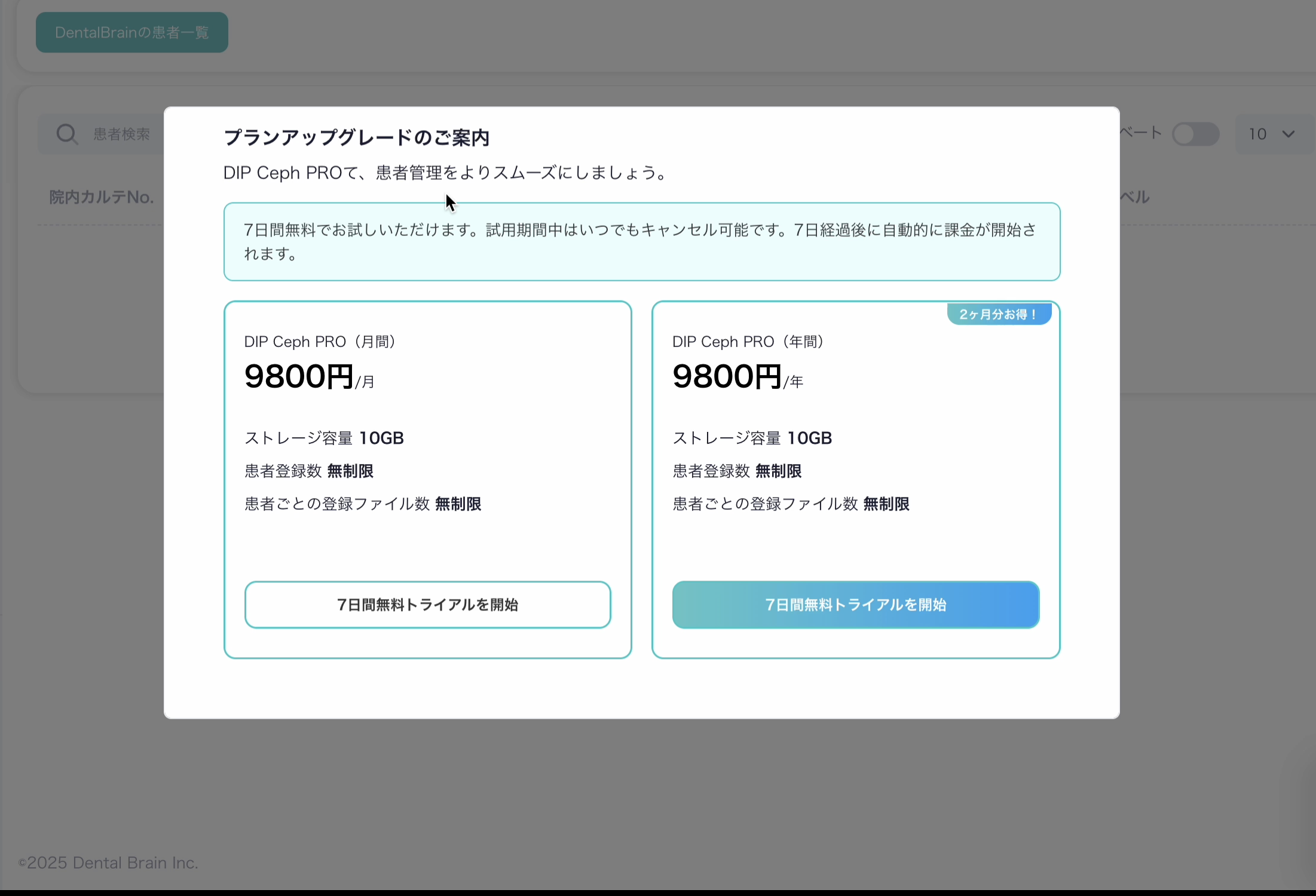
【プラン選択】
  ・月額プラン:毎月自動更新
  ・年額プラン:12ヶ月分一括払い(月額より割安)
  ※設定ページよりいつでもプランの変更が可能です。

 [Plan Selection]
  ・Monthly plan: Auto-renews each month
  ・Annual plan: One-time payment for 12 months (more cost-effective than monthly)
  ※ You can change your plan at any time during the free trial via the Settings page.
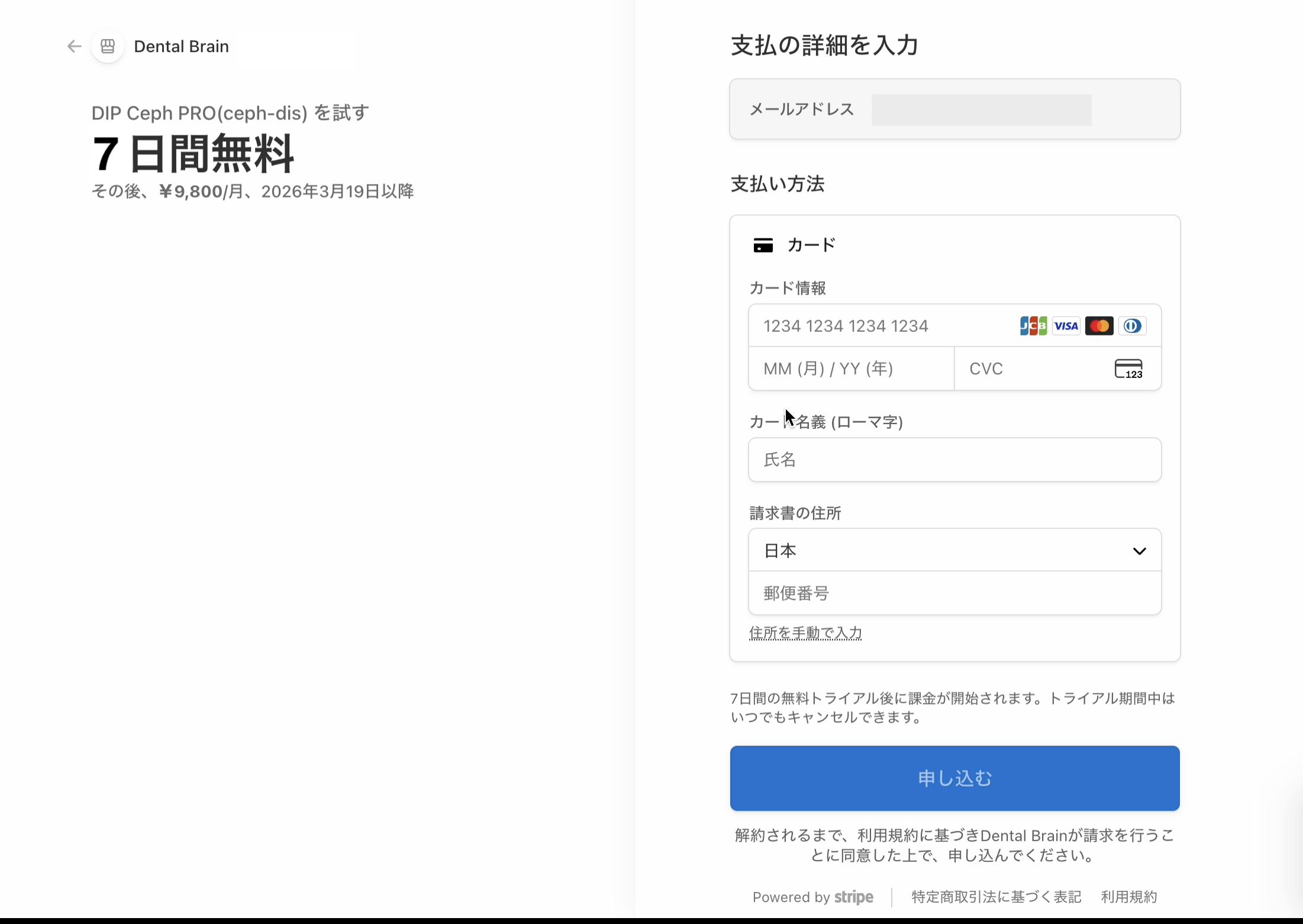
 【クレジットカード情報】
  ・カード番号・有効期限・セキュリティコード(CVC)・カード名義人を入力してください。
  ・登録後7日間は無料でご利用いただけます。8日目の0時より選択プランで自動課金が開始されます。

 [Credit Card Information]
  ・Please enter your card number, expiration date, security code (CVC), and cardholder name.
  ・You can use the service free for 7 days after registration.
   Automatic billing will begin at midnight on the 8th day under your selected plan.
7-A.
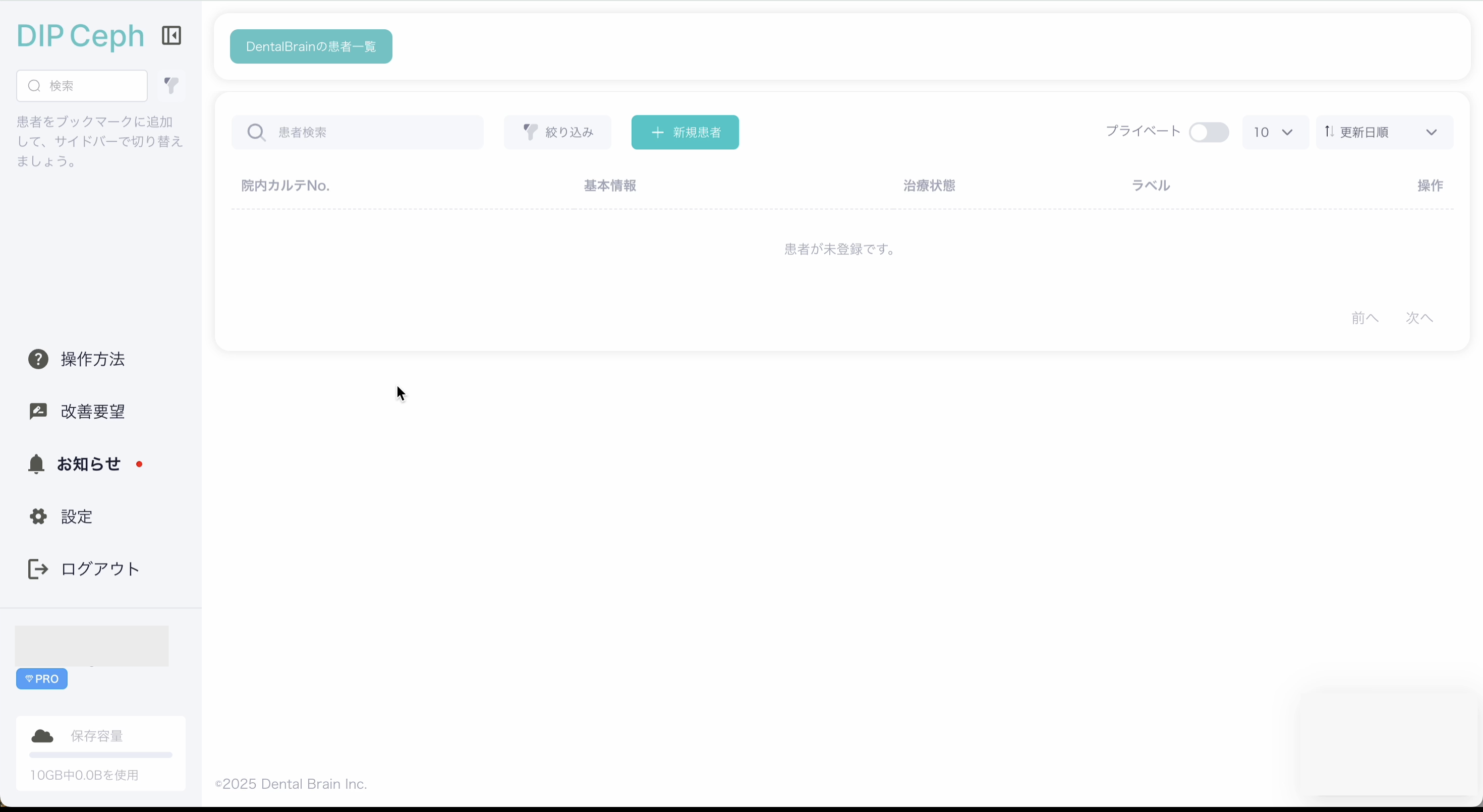
 登録完了。無料体験が開始されます。
  ・選択したプランが設定されています。
  ・プランの変更はいつでも可能です。設定ページ > プラン変更 よりお手続きください。

  -Registration complete. Your free trial has started.
  ・Your selected plan has been applied.
  ・You can change your plan at any time. Go to Settings > Change Plan to proceed.
ご注意ください。
【キャンセルについて】
無料トライアル中にキャンセルした場合、キャンセル手続き後すぐにご利用できなくなります。
再度ご利用を再開したい場合は、ログイン後の画面よりクレジットカード情報を再登録してください。
再登録することで、残りのトライアル期間を引き続きご利用いただけます。
[About cancellation]
If you cancel during the free trial, your access will be terminated immediately upon cancellation.
To resume, please re-register your credit card information from the screen displayed after logging in.
Re-registering will allow you to continue using the remaining trial period.
⚠️ パターンB:照合不一致(歯科医師免許の提出が必要)
6-B.
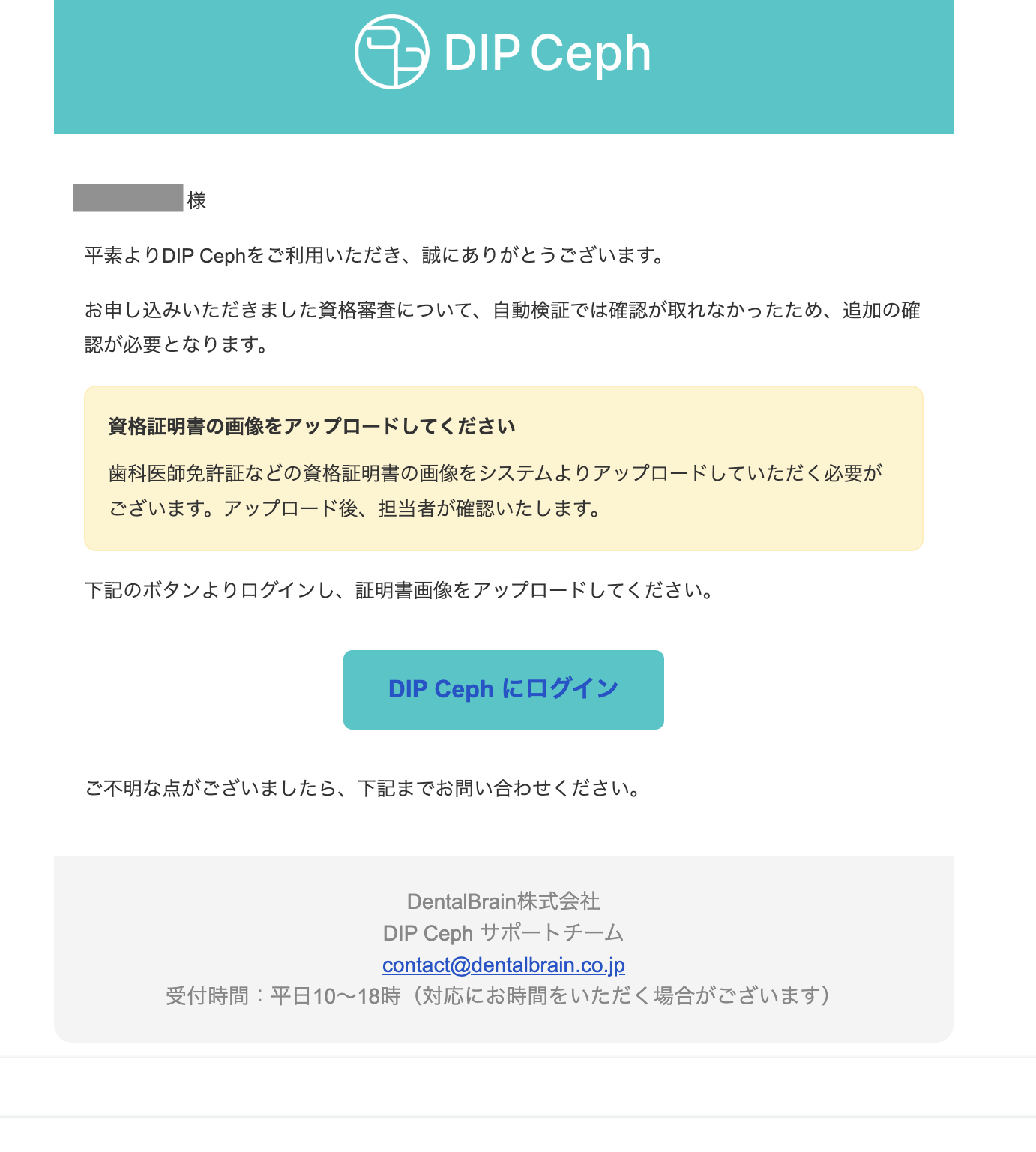
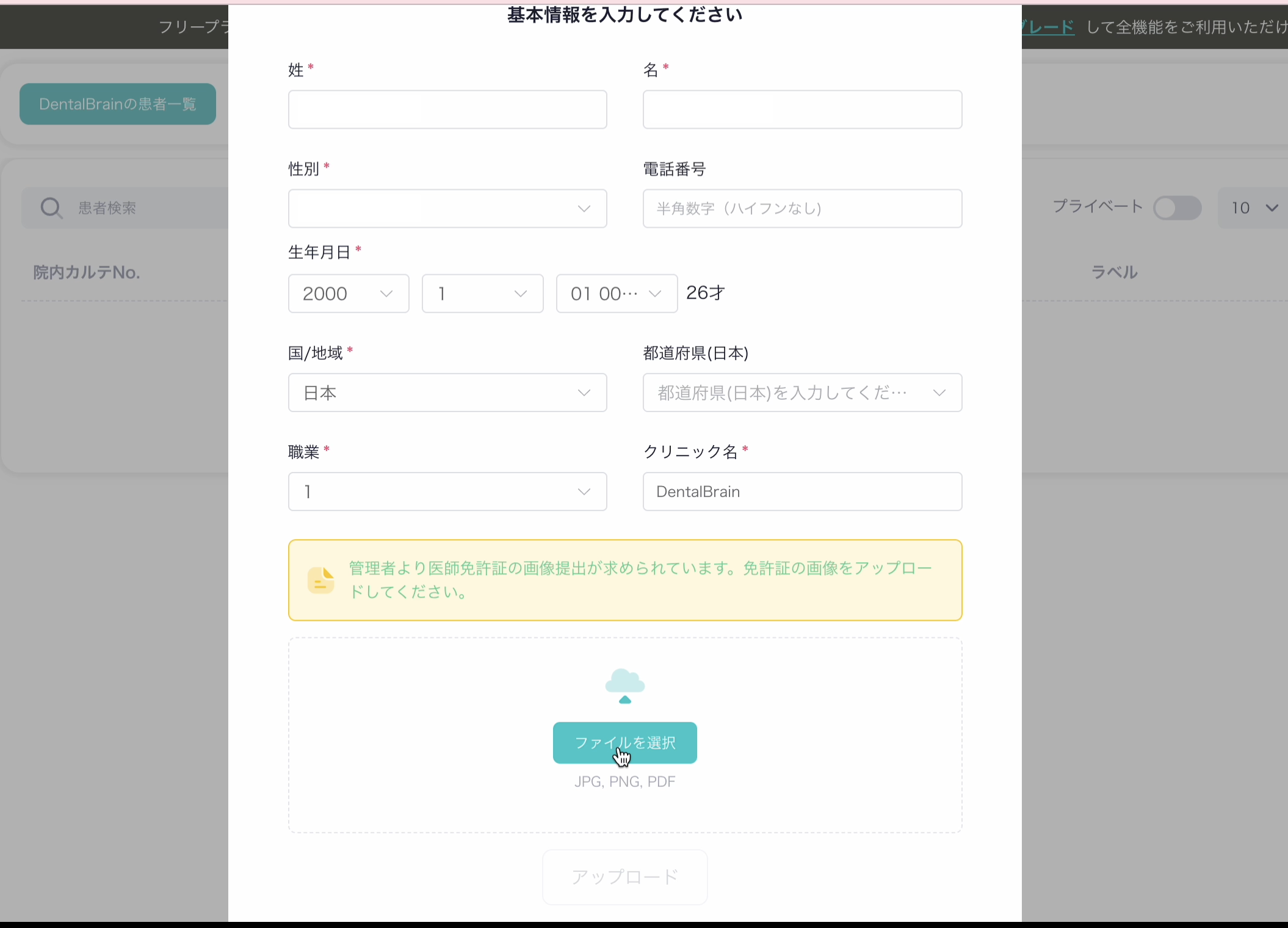
 ご登録のメールアドレスに「追加書類のご提出のお願い」メールが届きます。
 メール内のリンクより、歯科医師免許証の写真またはスキャンデータをアップロードしてください。

 -You will receive an email titled "Request for Additional Documents"
   at your registered email address.
  Please upload a photo or scanned copy of your dental license
  via the link provided in the email.
7-B.
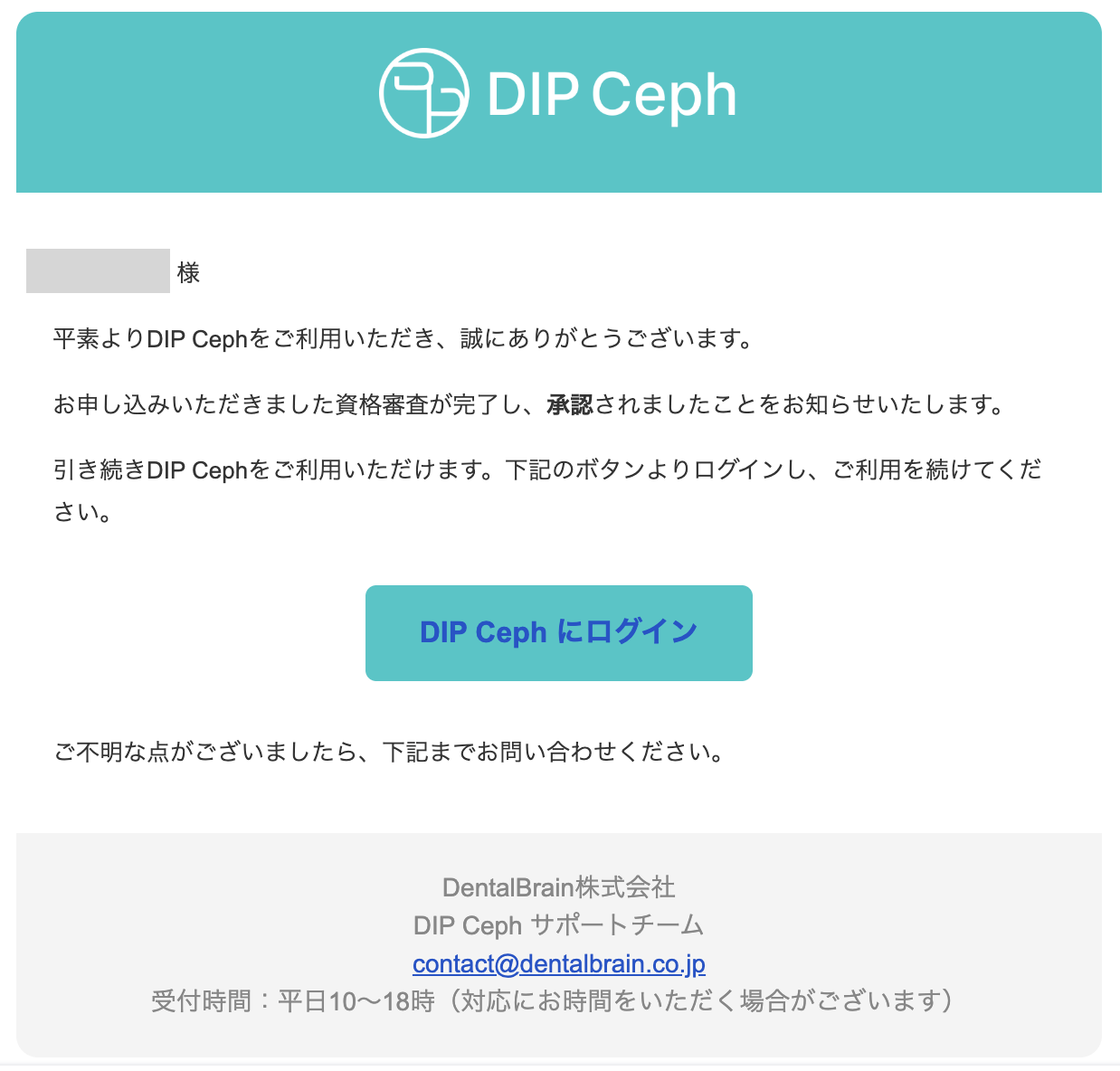
 弊社にて免許証を確認後、承認された場合は「資格審査完了のお知らせ」メールが届きます。
 メール内のリンク、または再度DIP Cephにアクセスし、プラン選択とクレジットカード情報の登録へお進みください。

 -Once we have reviewed and approved your license,
   you will receive a "Registration Approved" email.
  Please proceed to plan selection and credit card registration
  via the link in the email or by accessing DIP Ceph again.
8-B.
 ご希望のプランを選択後、クレジットカード情報を入力してください
  -Select your preferred plan and enter your credit card information.
【プラン選択】
  ・月額プラン:毎月自動更新
  ・年額プラン:12ヶ月分一括払い(月額より割安)
  ※設定ページよりいつでもプランの変更が可能です。

 [Plan Selection]
  ・Monthly plan: Auto-renews each month
  ・Annual plan: One-time payment for 12 months (more cost-effective than monthly)
  ※ You can change your plan at any time during the free trial via the Settings page.
 【クレジットカード情報】
  ・カード番号・有効期限・セキュリティコード(CVC)・カード名義人を入力してください。
  ・登録後7日間は無料でご利用いただけます。8日目の0時より選択プランで自動課金が開始されます。

 [Credit Card Information]
  ・Please enter your card number, expiration date, security code (CVC), and cardholder name.
  ・You can use the service free for 7 days after registration.
   Automatic billing will begin at midnight on the 8th day under your selected plan.
9-B.
 登録完了。無料体験が開始されます。
  ・選択したプランが設定されています。
  ・プランの変更はいつでも可能です。設定ページ > プラン変更 よりお手続きください。

  -Registration complete. Your free trial has started.
  ・Your selected plan has been applied.
  ・You can change your plan at any time. Go to Settings > Change Plan to proceed.
ご注意ください。
【キャンセルについて】
無料トライアル中にキャンセルした場合、キャンセル手続き後すぐにご利用できなくなります。
再度ご利用を再開したい場合は、ログイン後の画面よりクレジットカード情報を再登録してください。
再登録することで、残りのトライアル期間を引き続きご利用いただけます。
[About cancellation]
If you cancel during the free trial, your access will be terminated immediately upon cancellation.
To resume, please re-register your credit card information from the screen displayed after logging in.
Re-registering will allow you to continue using the remaining trial period.
設定ページ > 「プランと支払い」 より、月額・年額の切り替えが可能です。
変更はいつでも可能です。
Go to Settings > Change Plan to switch between monthly and annual plans.
You can change your plan at any time.
【キャンセル】
設定ページ > 「プランと支払い」 > よりお手続きいただけます。
キャンセルはいつでも可能ですが、手続き後すぐにご利用できなくなります。
【再開】
キャンセル後に再開したい場合は、DIP Cephにログイン後の画面よりクレジットカード情報を再登録してください。
無料トライアル中にキャンセルした場合は、再登録することで残りのトライアル期間を引き続きご利用いただけます。
[Cancel]
Go to Settings > Change Plan > Cancel to proceed.
You can cancel at any time, but your access will be terminated immediately.
[Resume]
To resume after cancellation, log in to DIP Ceph and re-register your credit card information from the screen displayed after logging in.
If you cancelled during the free trial, re-registering will allow you to continue using the remaining trial period.
登録日から8日目の0時に自動課金が開始されます。
Automatic billing begins at midnight on the 8th day from your registration date.
この記事は役に立ちましたか?
それは素晴らしい!
フィードバックありがとうございます
お役に立てず申し訳ございません!
フィードバックありがとうございます
フィードバックを送信しました
記事の改善におけるご協力ありがとうございます。