DIP Cephの新規登録手順
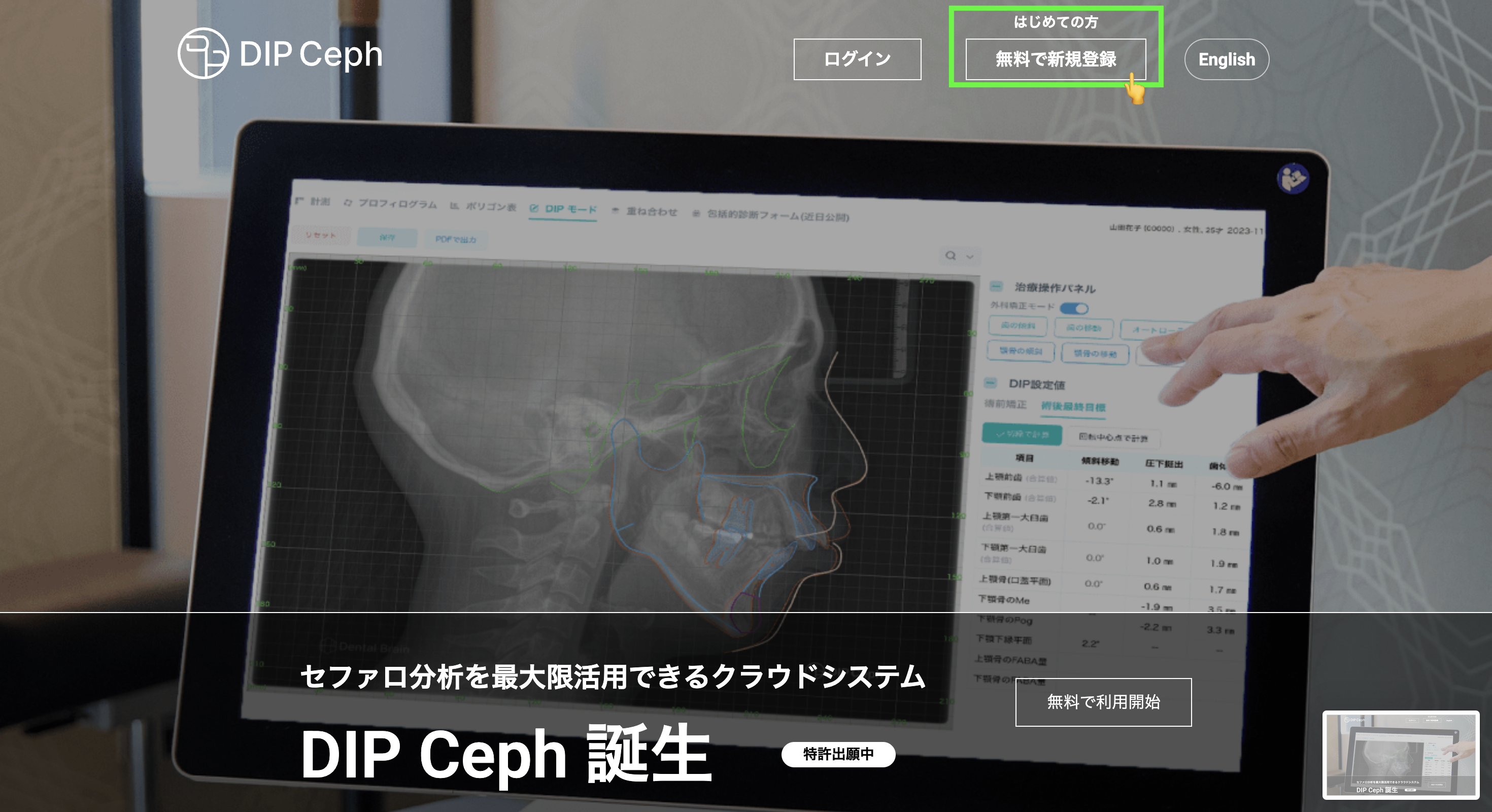
1. ホームページ:上部の右上【無料で新規登録】をクリック
  -Home page: Click [Sign up for free] on the top right
HPリンク]
日本語 https://dipceph.com/


English https://dipceph.com/en/
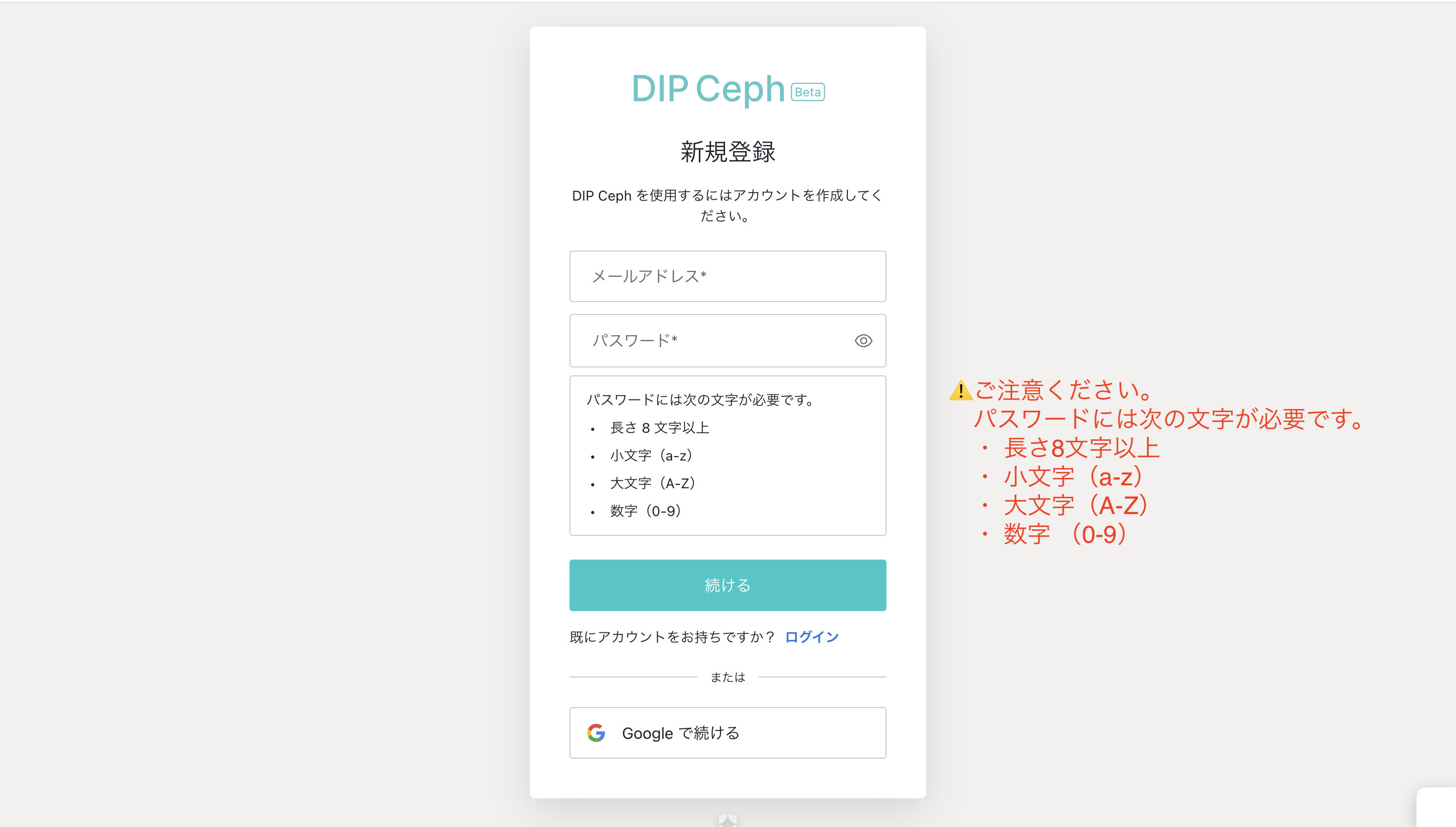
2. メールアドレス・パスワードを入力し、[続ける]をクリック
   or
  Googleアカウントでご登録の場合は、下部[Googleで続ける]をクリック

 -Enter your email address and password and click [Continue]
   or
 -If you registered with a Google account, click [Continue with Google] at the bottom
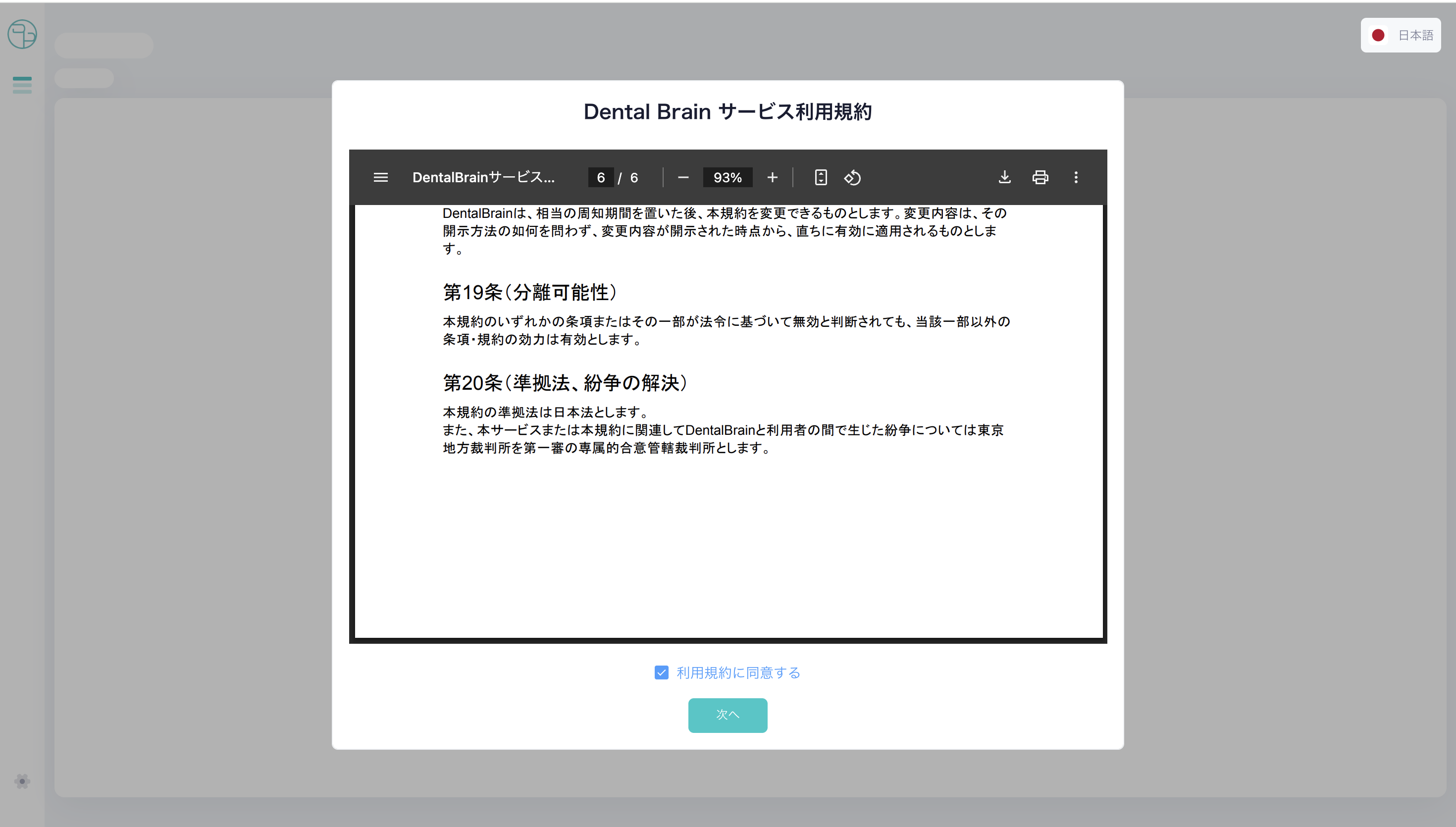
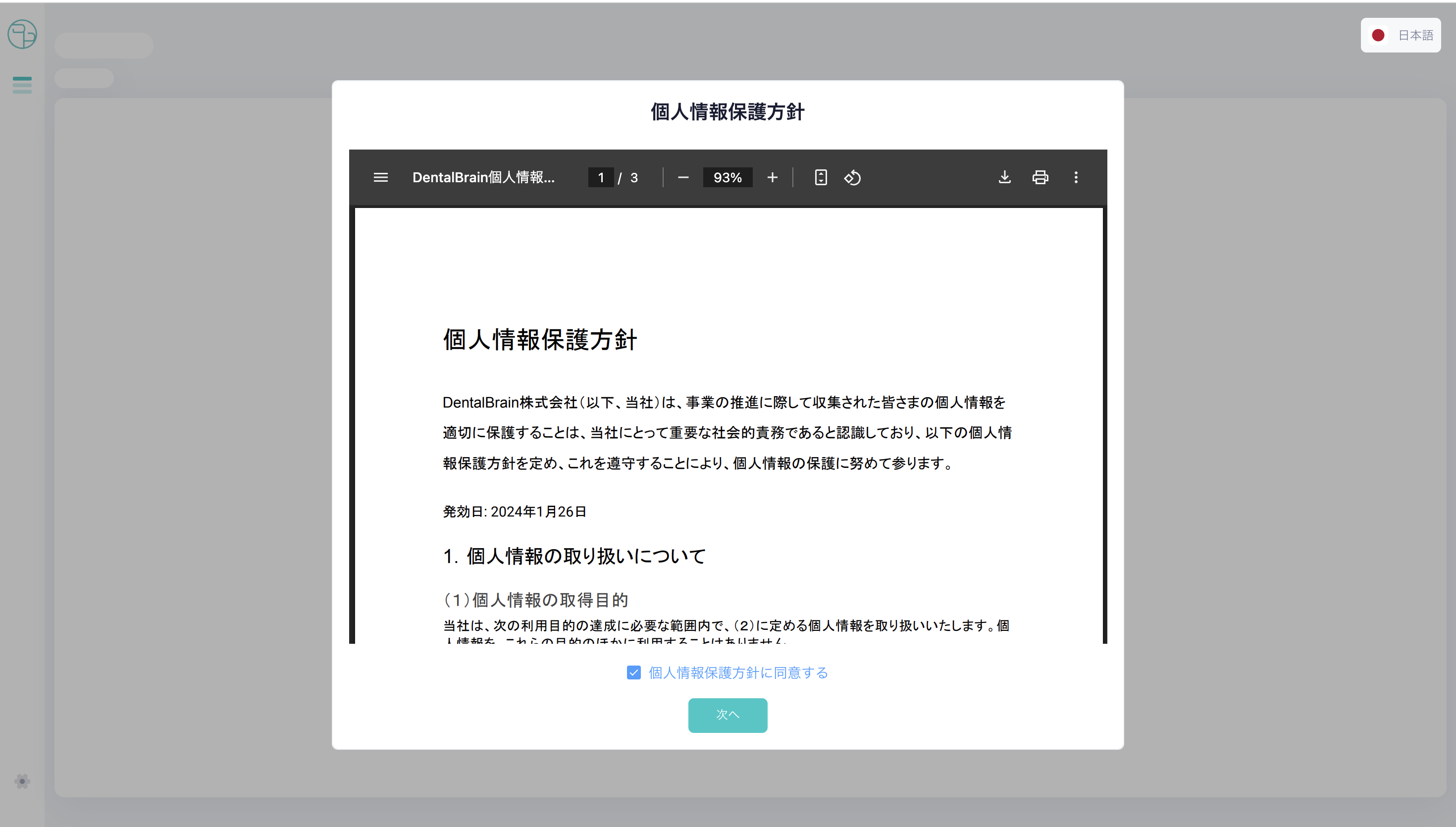
3.利用規約・個人情報保護方針をご確認の上、同意するに✅、[次へ]をクリック
 -Please read and agree to the Terms of Use and Privacy Policy, then click [Next].
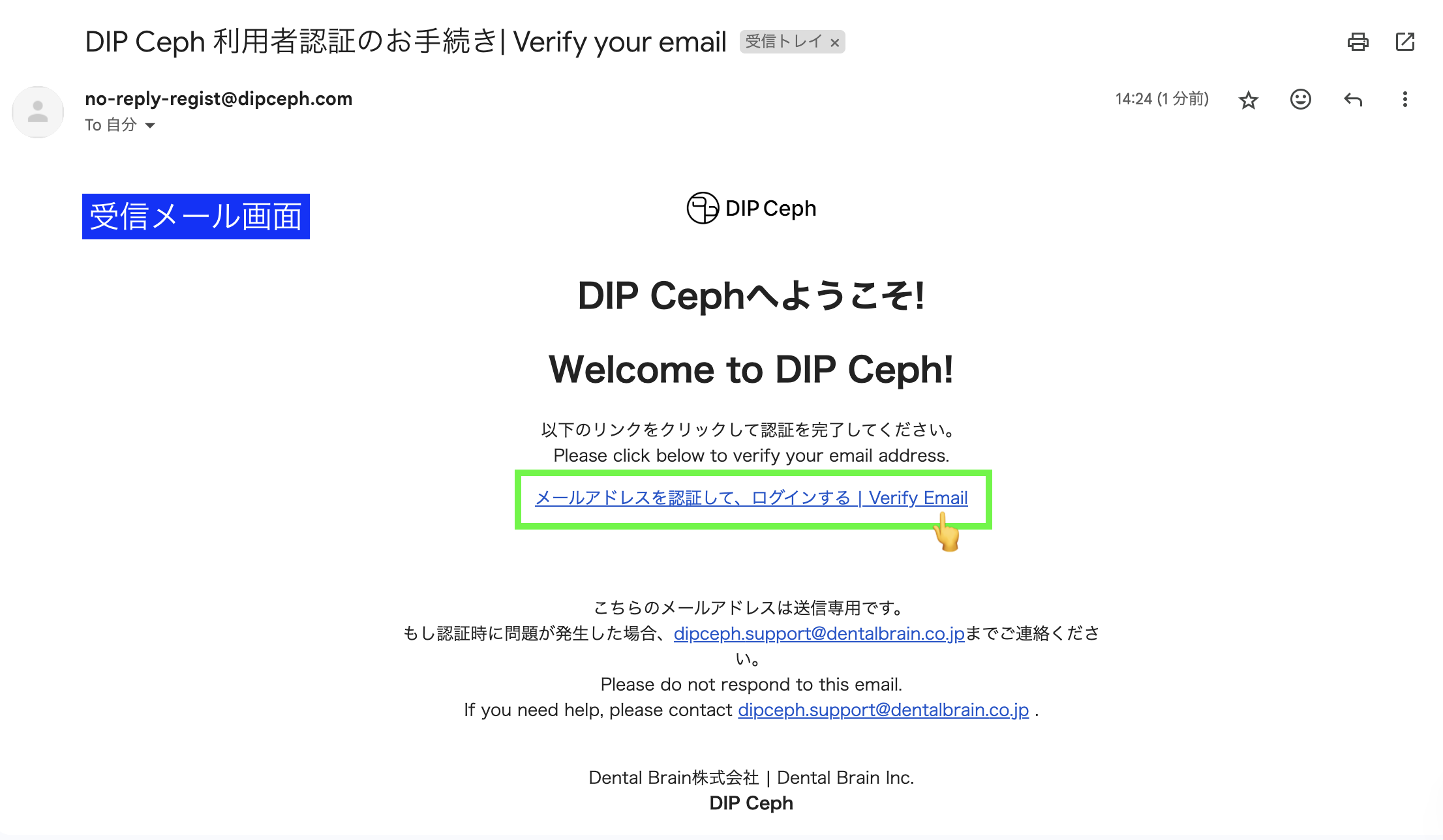
4.ご登録いただいたメールドレスに認証メールをお送りしています。
 [メールアドレスを認証して、ログイン]をしてください。
 -A verification email has been sent to the email address you registered.
  Please [Verify your email address and log in].
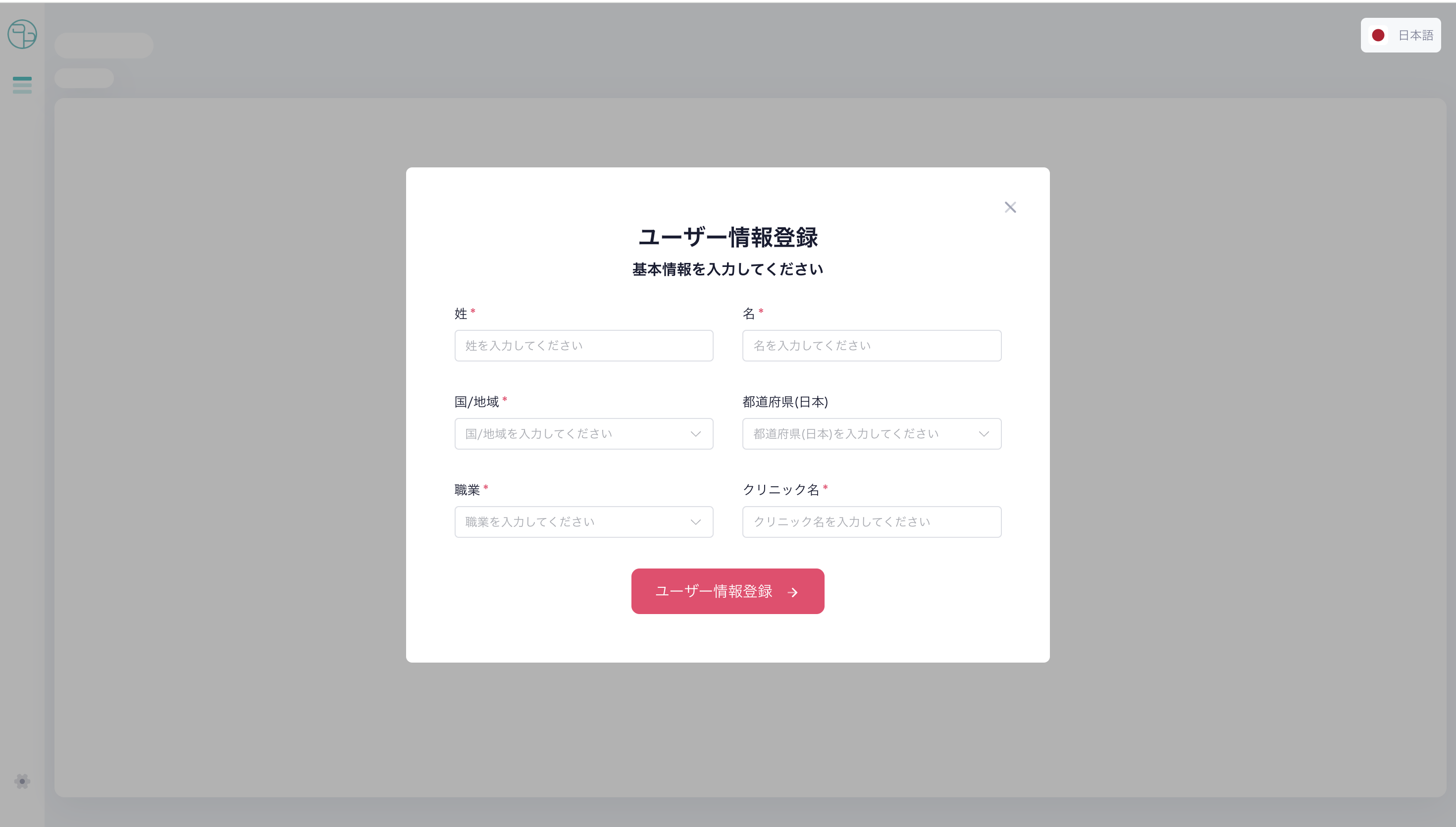
5.情報を入力し、[ユーザー情報登録]をクリック
 -Enter the information and click [Register User Information]
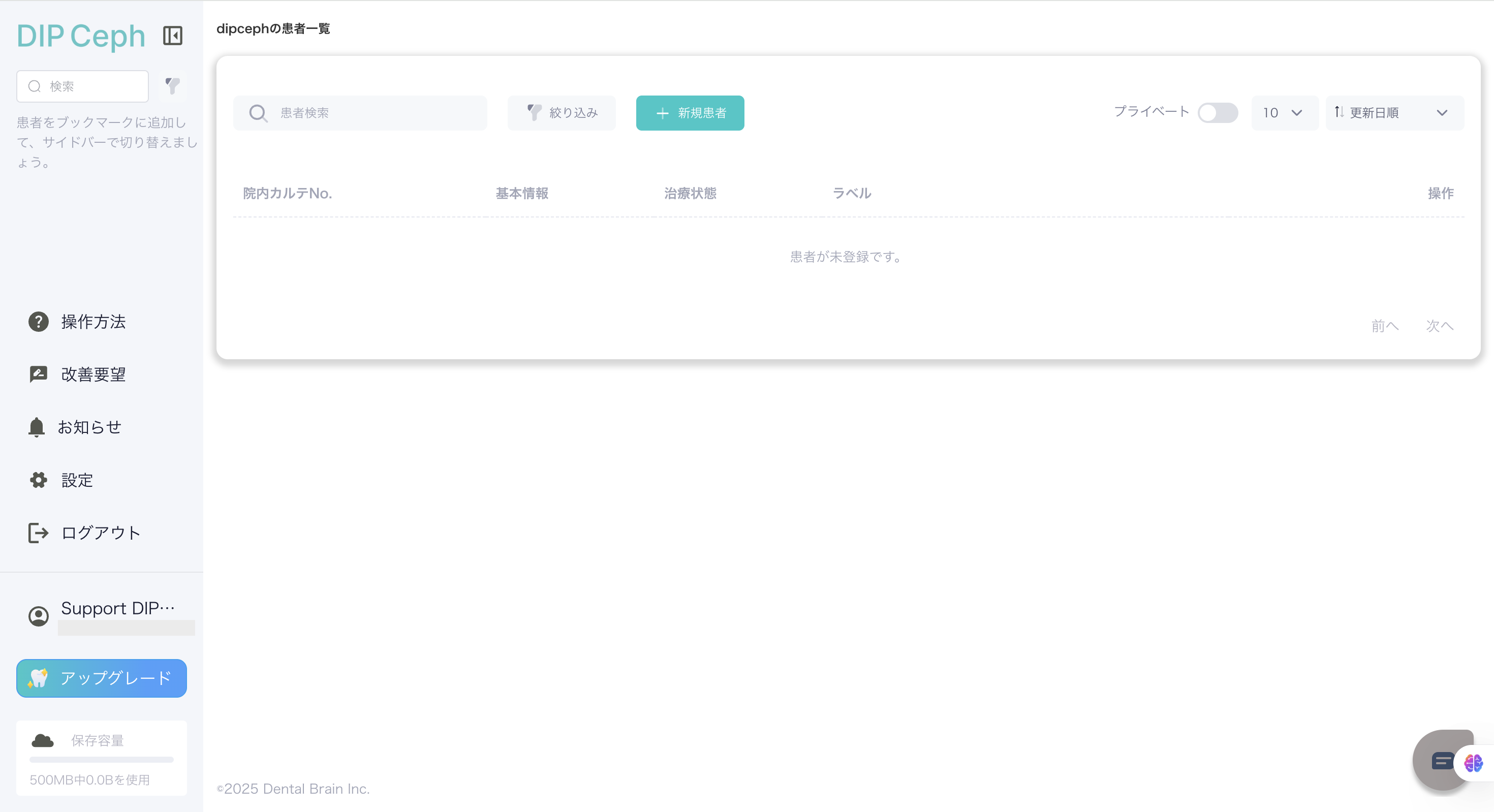
6.登録完了
 -Registration complete
この記事は役に立ちましたか?
それは素晴らしい!
フィードバックありがとうございます
お役に立てず申し訳ございません!
フィードバックありがとうございます
フィードバックを送信しました
記事の改善におけるご協力ありがとうございます。