動画:セファロ分析【プロフィログラム】-Video:Cephalometric Analysis [profilogram]-プロフィログラムの主な機能 -Main functions of a profilogram-
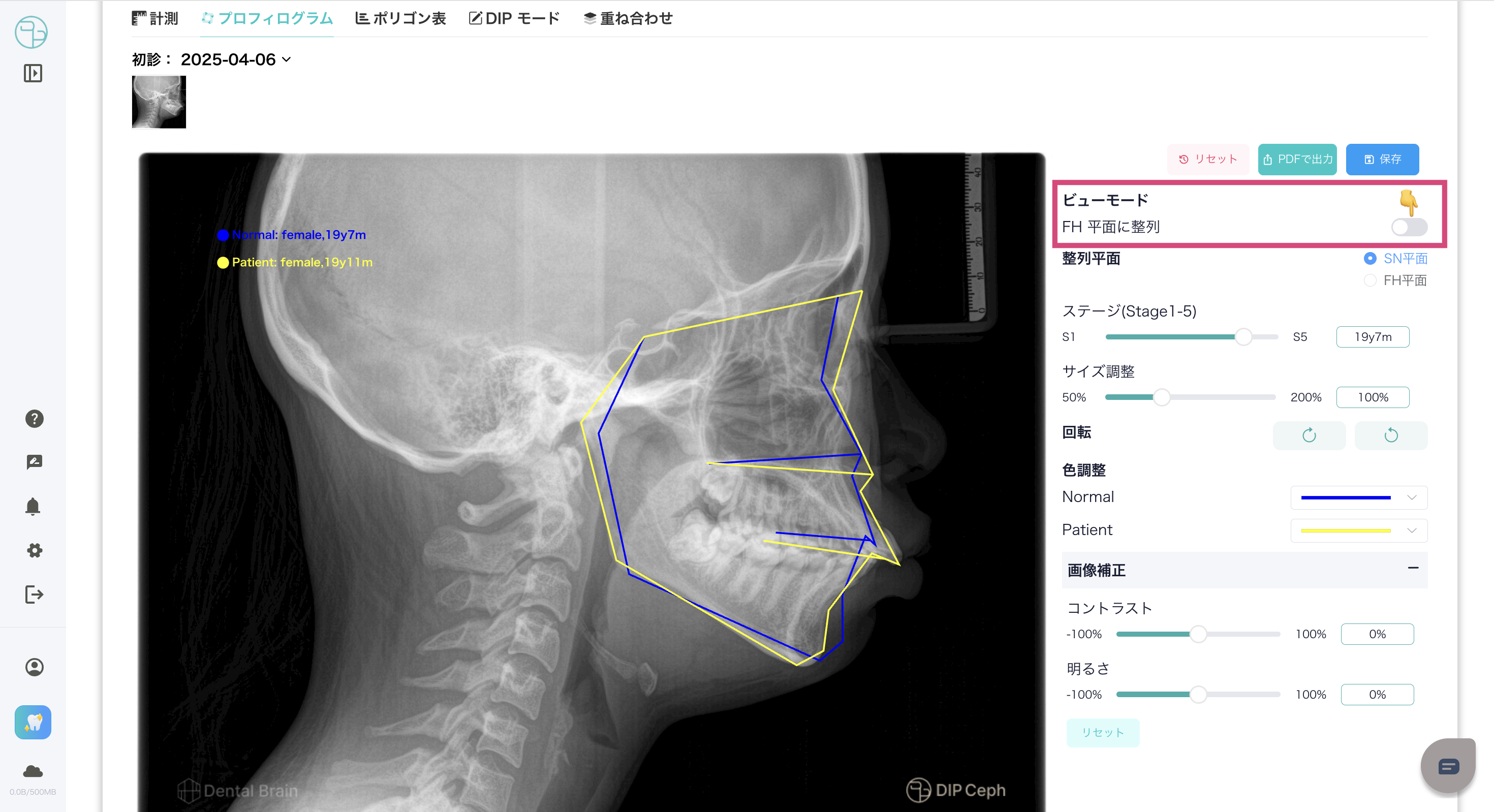
ビューモードの切り替え -Switch view mode-- ビューモードをFH平面に変更するには、切り替えスイッチをONにします。
- -To change the view mode to FH plane, turn the switch ON.
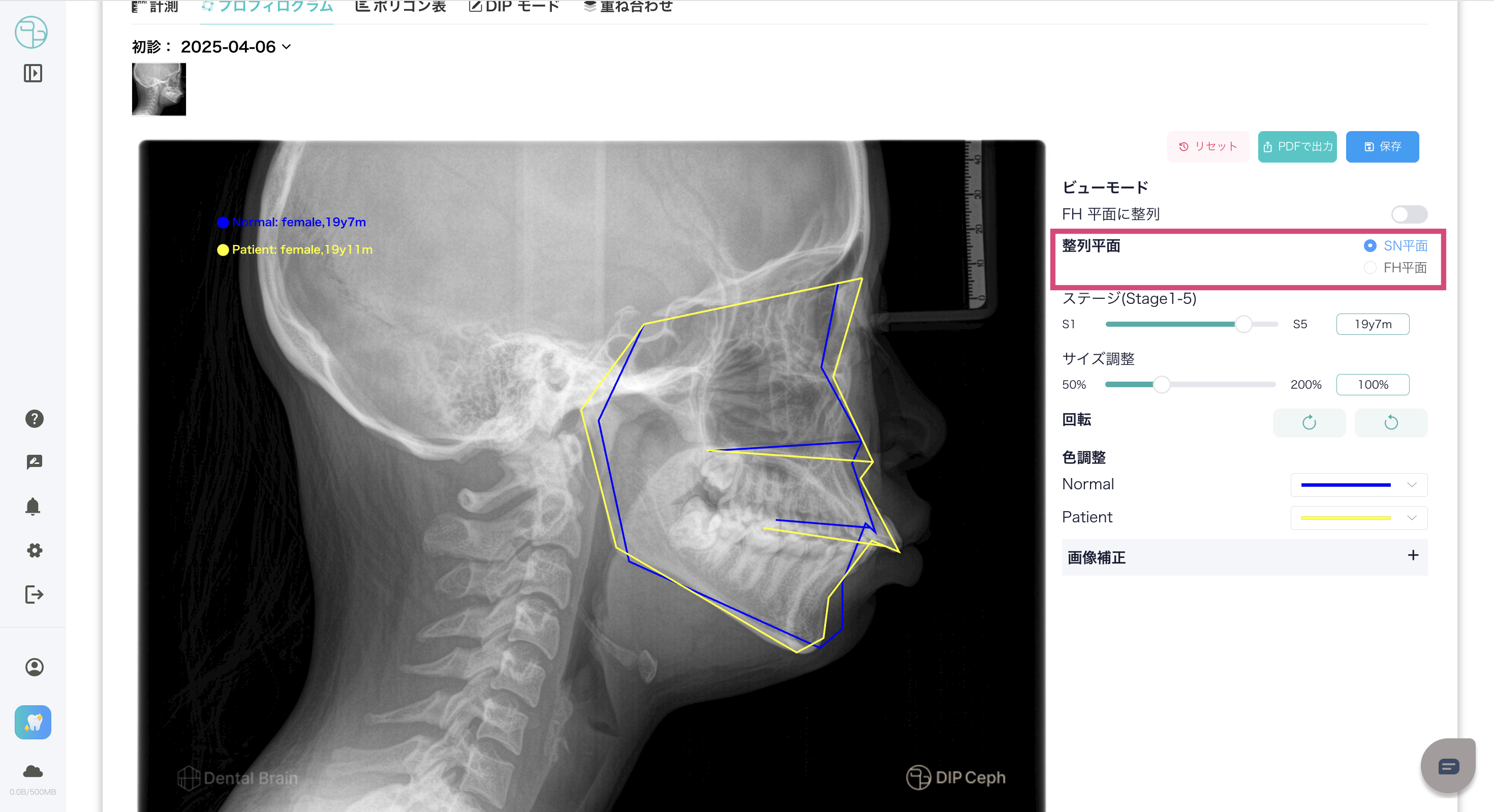
整列平面の選択 -Alignment Plane Selection-- FH平面とSN平面の整列平面を選択することで、切り替えることができます。
- -You can switch between aligning to the FH plane and the SN plane by selecting one.
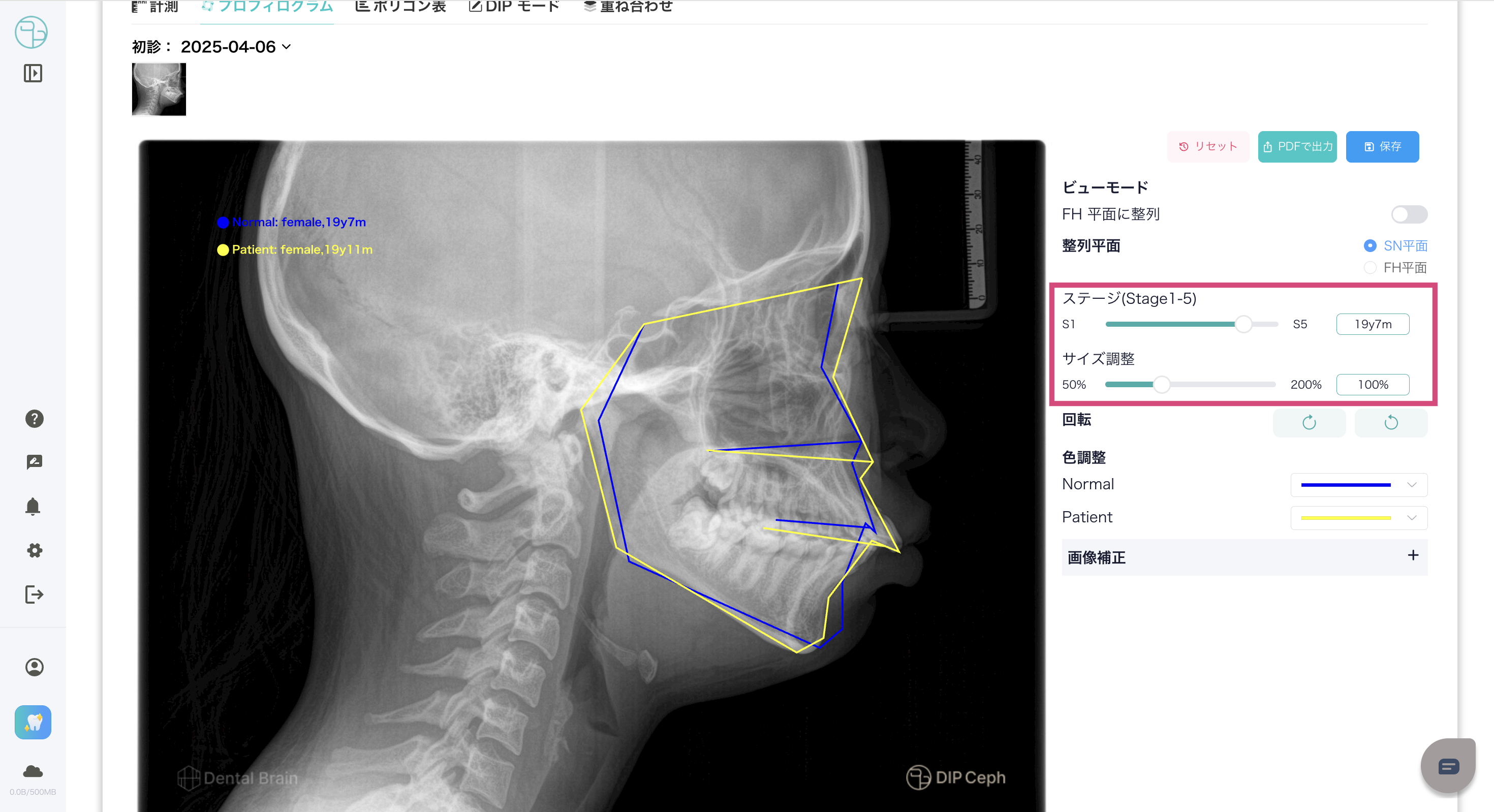
ステージの切り替え・サイズ調整 -Stage switching/size adjustment-- 患者のステージ・サイズを変更する場合、バーを移動します。
- -Move the bar to change the patient's stage and size.
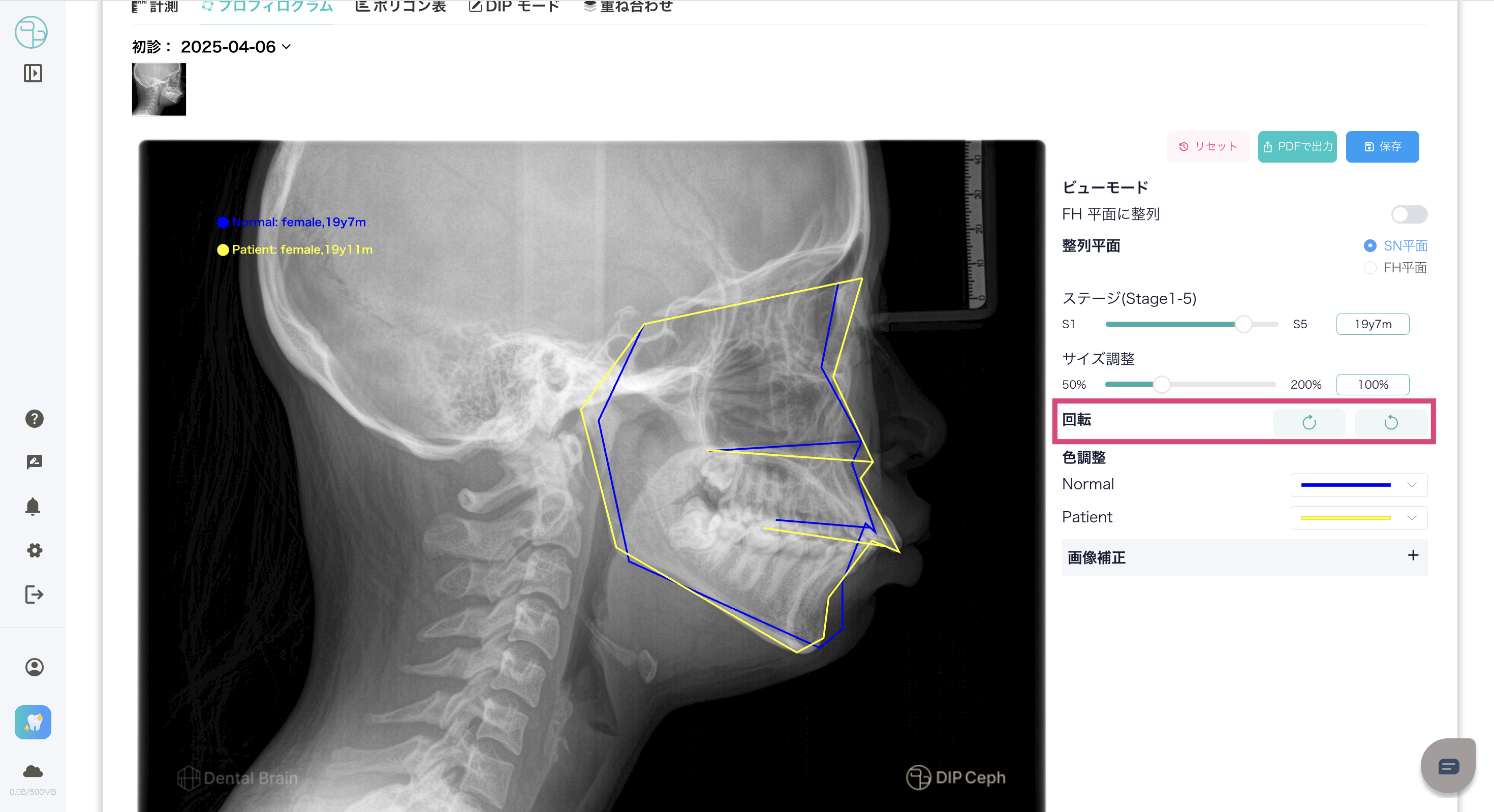
プロフィログラムの回転 -profilogram rotation-- プロフィログラムを回転するには、回転方向のボタンを複数回クリックして調整が可能です。
- -To rotate the profilogram, you can adjust it by clicking the rotation direction button multiple times.
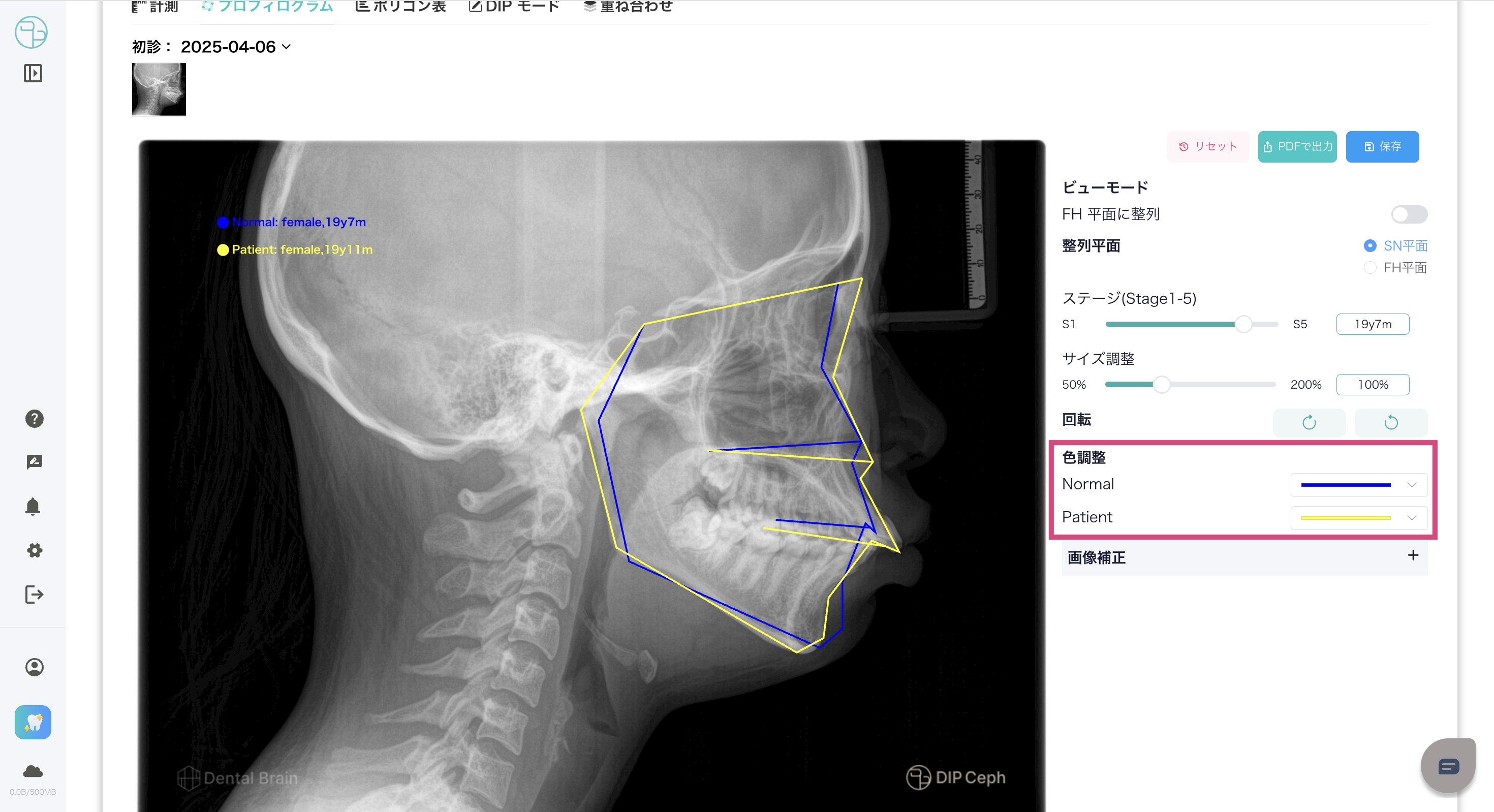
プロフィログラムの色調整 -Profilogram color adjustment-色調整からプロフィログラムの色を変更します。
- -Change the color of the profilogram using color adjustment.
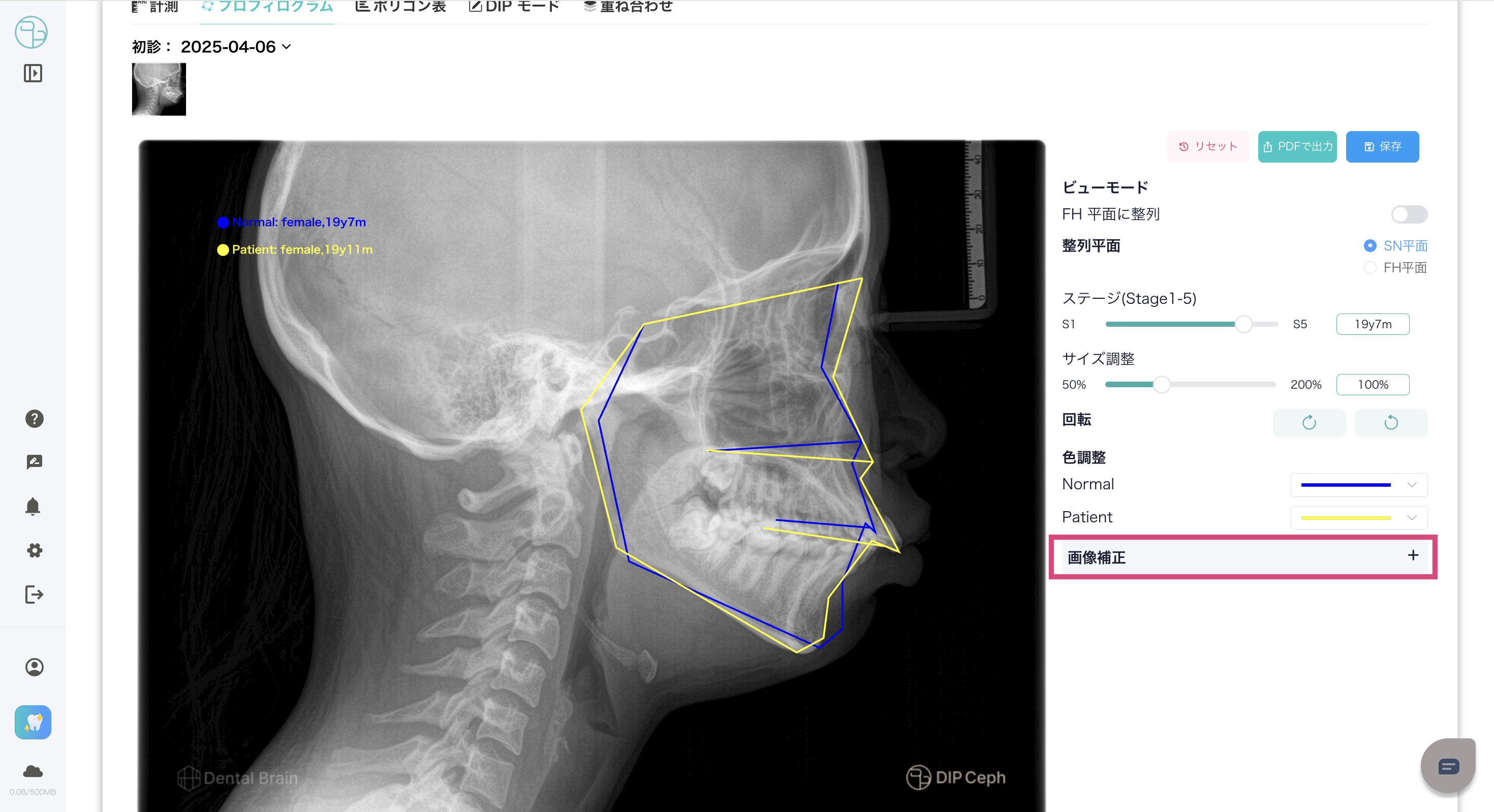
セファロ写真の画像補正 -Image correction of cephalometric photographs-画像補正からセファロ写真のコントラスト、明るさのバーを操作して変更します。
- -Use the Image Correction menu to change the contrast and brightness of the cephalometric photograph.
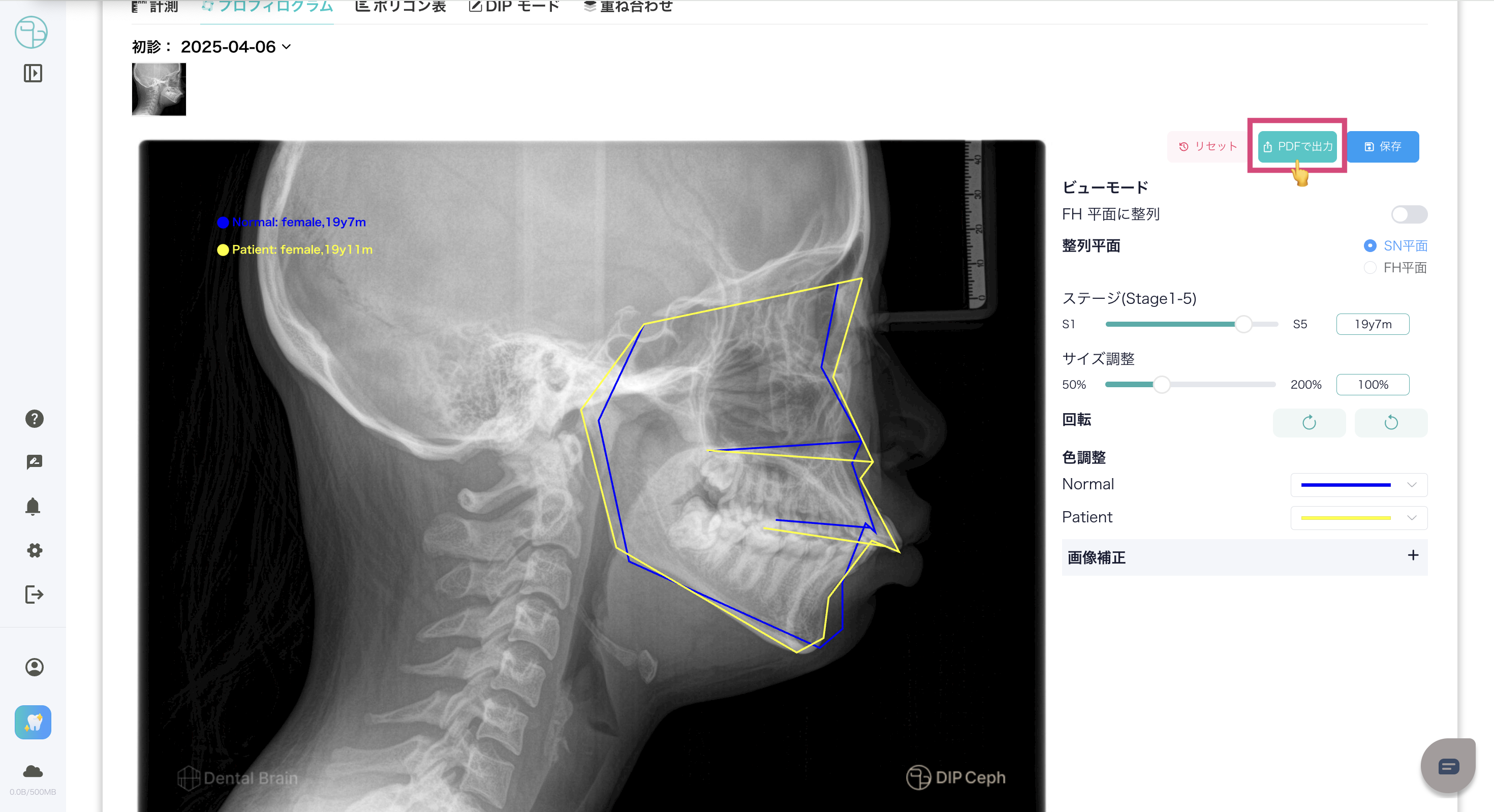
PDF出力 -PDF Output-- プロフィログラムをPDFで出力可能です。
- -The profile can be output in PDF format.
プロフィログラムの参考文献 -Profilogram References-本システムのプロフィログラム、ポリゴン表で使用してるデータについては、こちら→DIP Ceph 参考文献 をご確認ください。
-For the data used in the profilograms and polygon tables of this system, please see DIP Ceph References here.→DIP Ceph References
この記事は役に立ちましたか?
それは素晴らしい!
フィードバックありがとうございます
お役に立てず申し訳ございません!
フィードバックありがとうございます
フィードバックを送信しました
記事の改善におけるご協力ありがとうございます。