動画:重ね合わせ -Video: [superimposition]-重ね合わせの主な機能 -Main functions of overlay-
基本操作 -Basic operations-
重ね合わせ対象を選択 -Select the overlay target-重ね合わせ対象より重ね合わせを行う治療プランをチェックし選択します。2個以上の治療を重ね合わせすることも可能です。
-Check and select the treatment plan to be overlaid from the overlay target.
-It is also possible to overlay two or more treatments.
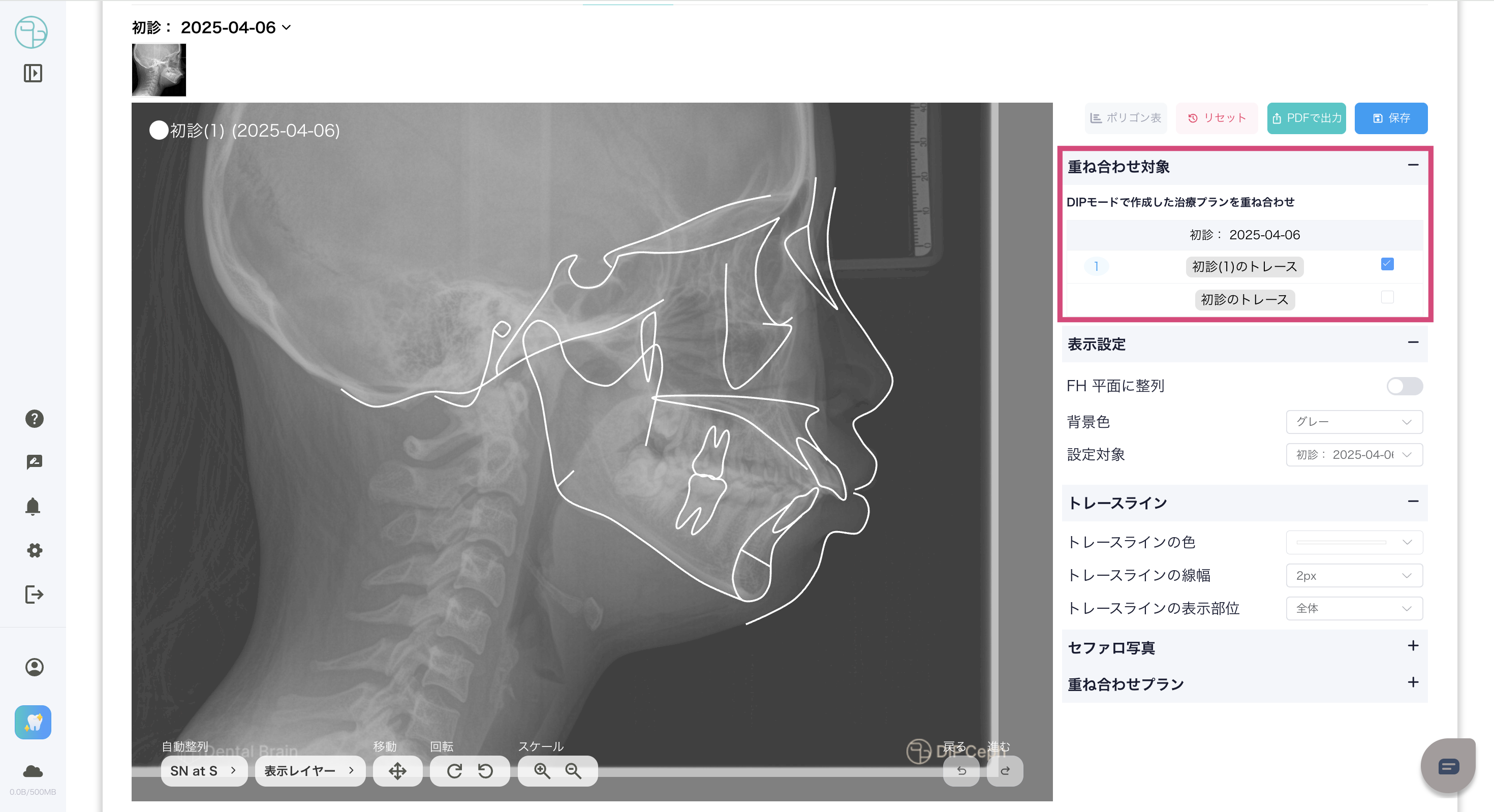
選択後、該当の治療プランのセファロ、トレースライン、顔貌写真(アップロードされてる場合)がセットとして左側の画面に表示されます。
-After selection, the cephalogram, trace line, and facial photo (if uploaded) of the corresponding treatment plan will be displayed as a set on the left screen.
重ね合わせ対象より選択した治療プラン順に重ね合わせられます。(最初に選択したプランは一番下)-The treatment plans will be overlaid in the order selected from the overlay target. (The first selected plan is at the bottom.)
画像左上のプランの表記をクリック、もしくは
表示設定より設定対象を選択し、該当の治療プランの表示設定を調整できます。-You can adjust the display settings of the corresponding treatment plan by clicking on the plan notation in the upper left of the image, or by selecting the setting target from the display settings.
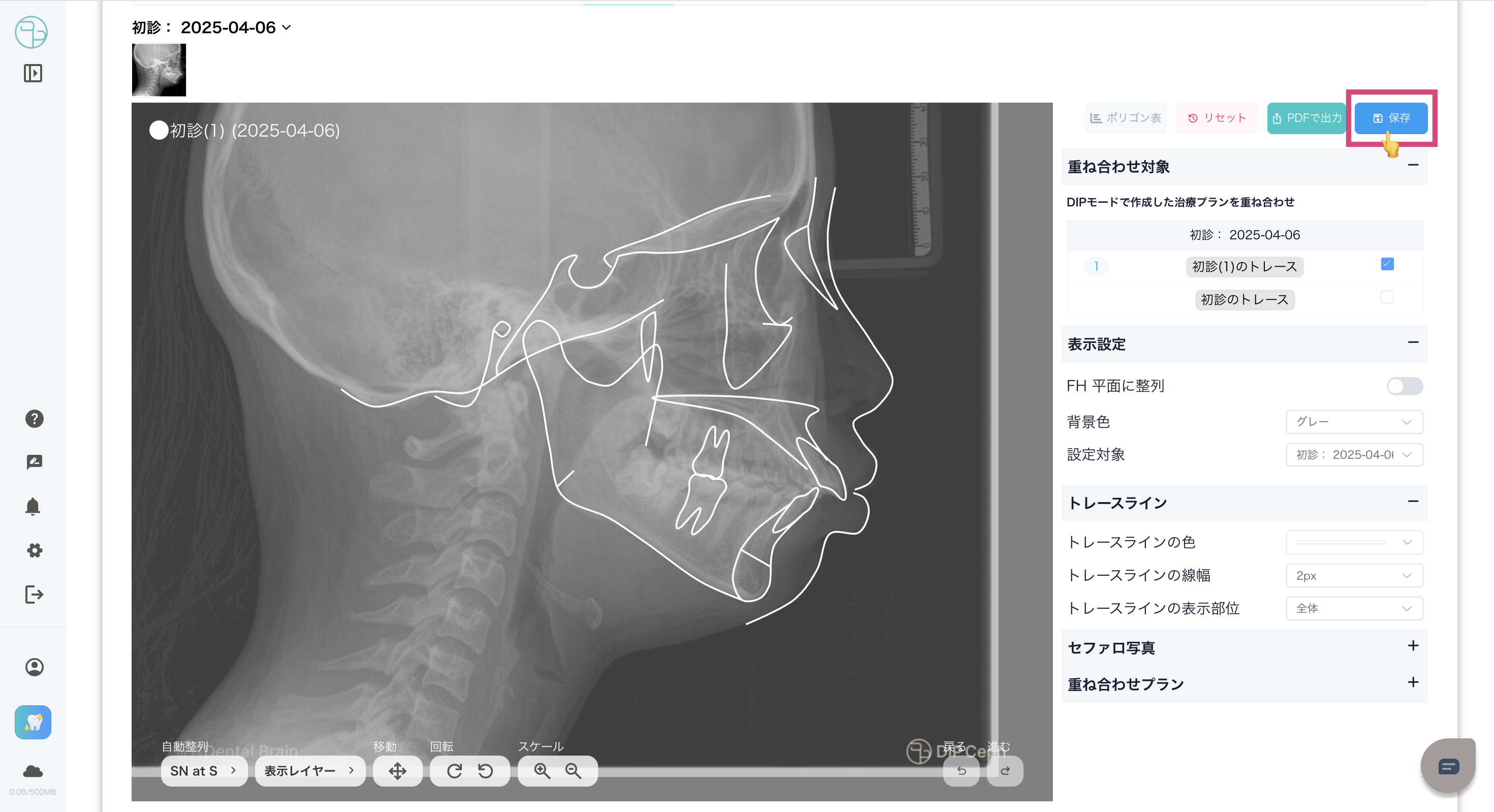
保存 -Save-右メニューの上にある
保存をクリックし、必要情報を入力し重ね合わせを保存できます。保存された重ね合わせは右メニューの
重ね合わせプランよりアクセス、管理できます。-Click Save on the top of the right menu, enter the necessary information, and save the overlay.
-Saved overlays can be accesse
PDF出力 -PDF Output-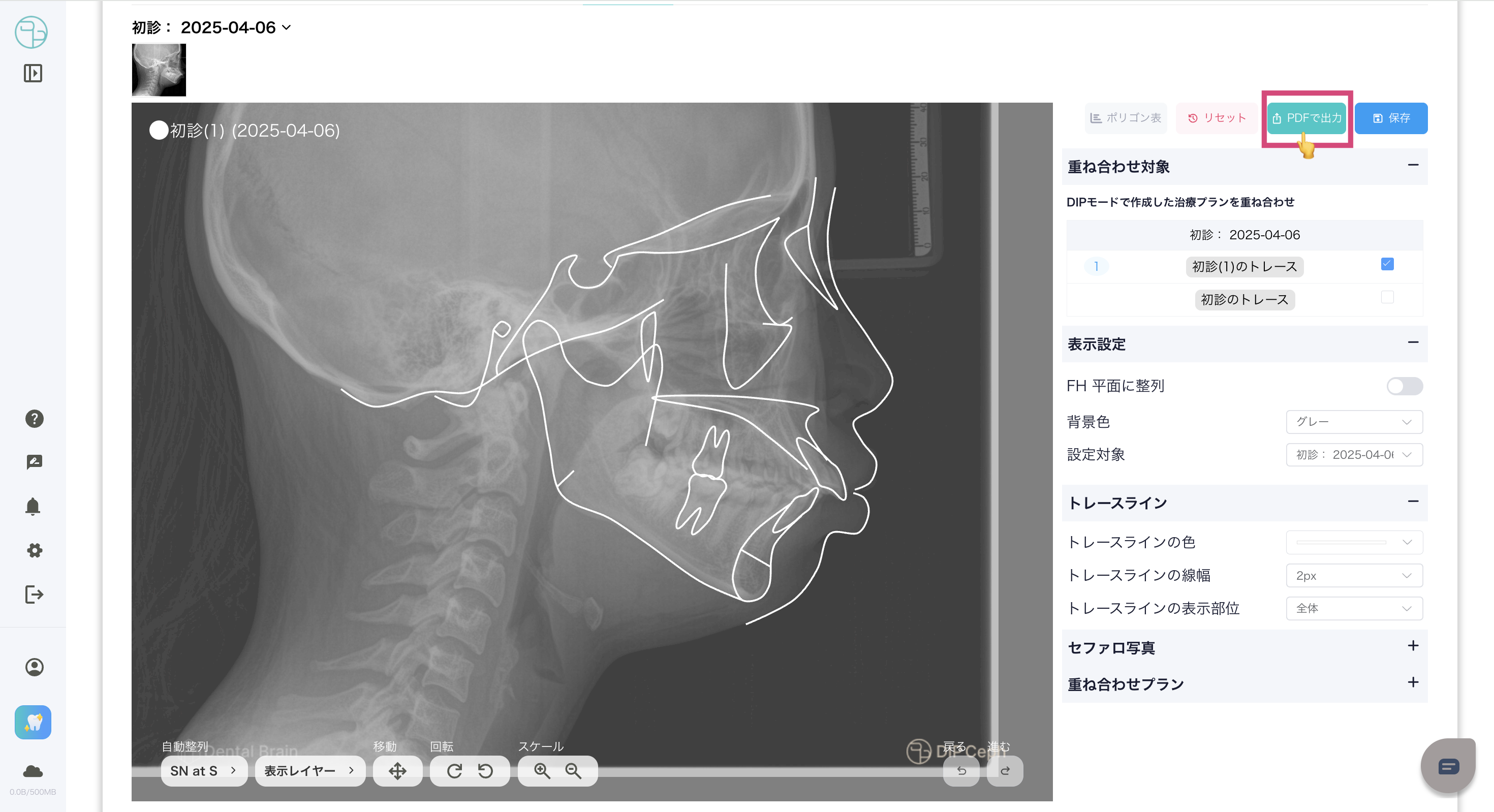
表示設定 -Display Settings-表示設定より各治療プラン内のレイヤーを調整できます。
-You can adjust the layers within each treatment plan from the display settings.
- 画像左上のプランの表記をクリック、もしくは
表示設定より設定対象を選択します。 - -Click on the plan name in the upper left of the image, or select the settings from the display settings.
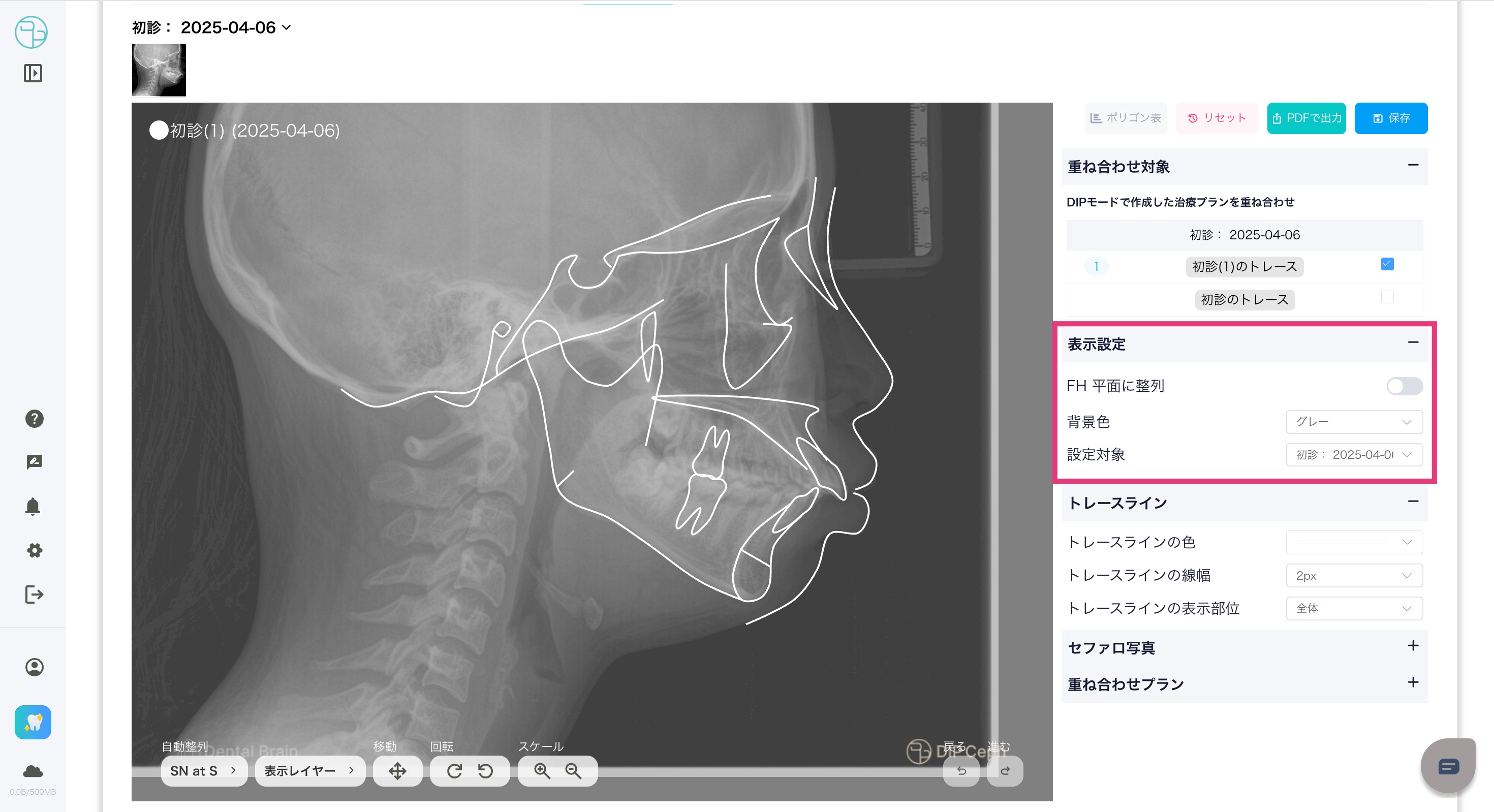
- 治療プランの該当レイヤー(トレースライン、セファロ写真)を選択します。
- -Select the appropriate layer of the treatment plan (trace line, cephalometric photo, facial photo).
- トレースラインの表示設定 -Trace line display settings-
- トレースラインの表示
- トレースラインの色設定
- トレースラインの線幅
- トレースラインの表示種類(全体/上顎、下顎)
- -Trace line display
- -Trace line color settings
- -Trace line width
- -Trace line display type (whole/upper jaw, lower jaw)
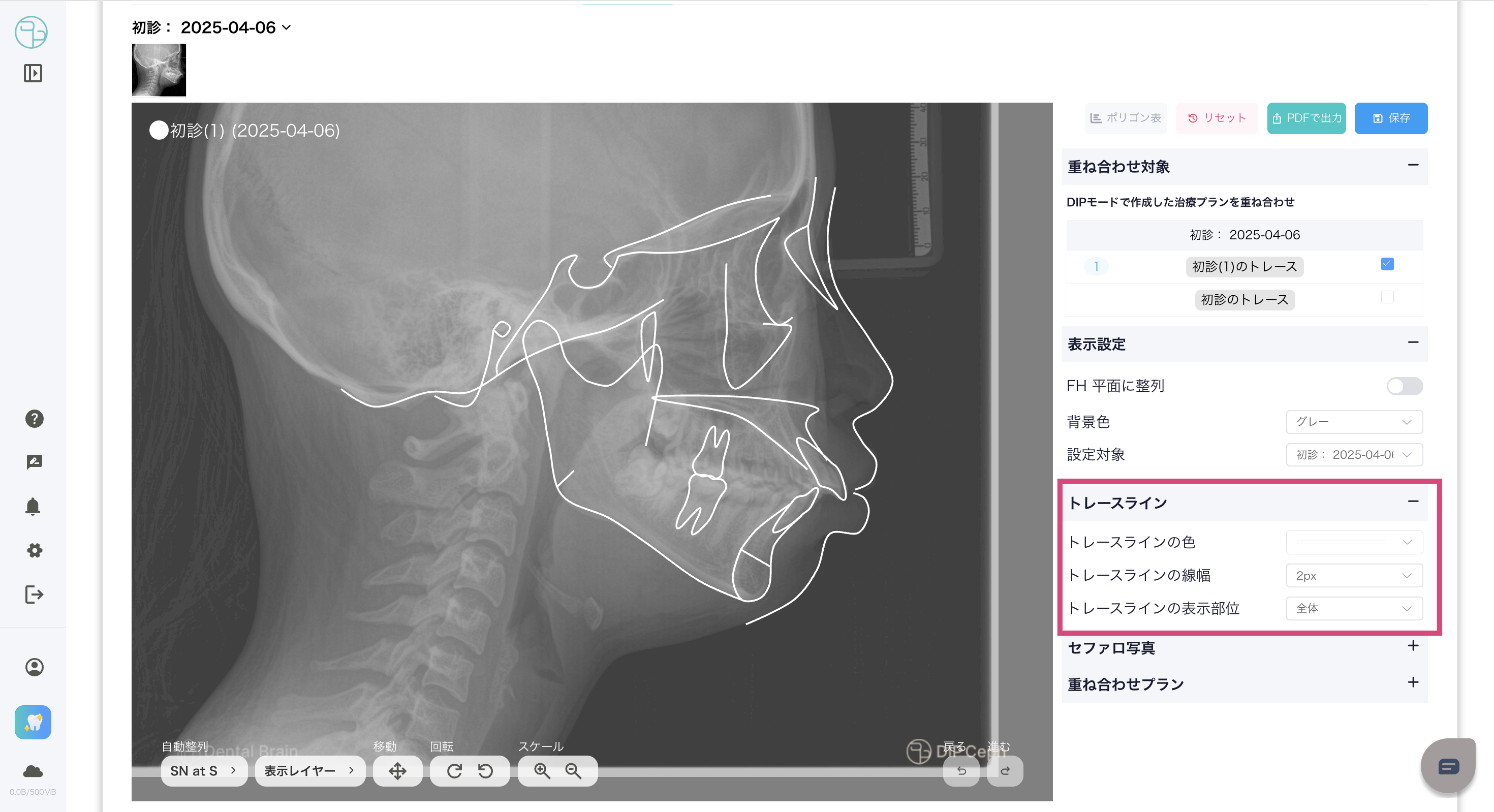
- トレースラインの表示設定 -Trace line display settings-
- セファロ写真の表示設定 -Cephalometric photo display settings-
- セファロ写真の表示
- 透明度、コントラスト、明るさ
- -Cephalometric photo display
- -Clarity, contrast, brightness
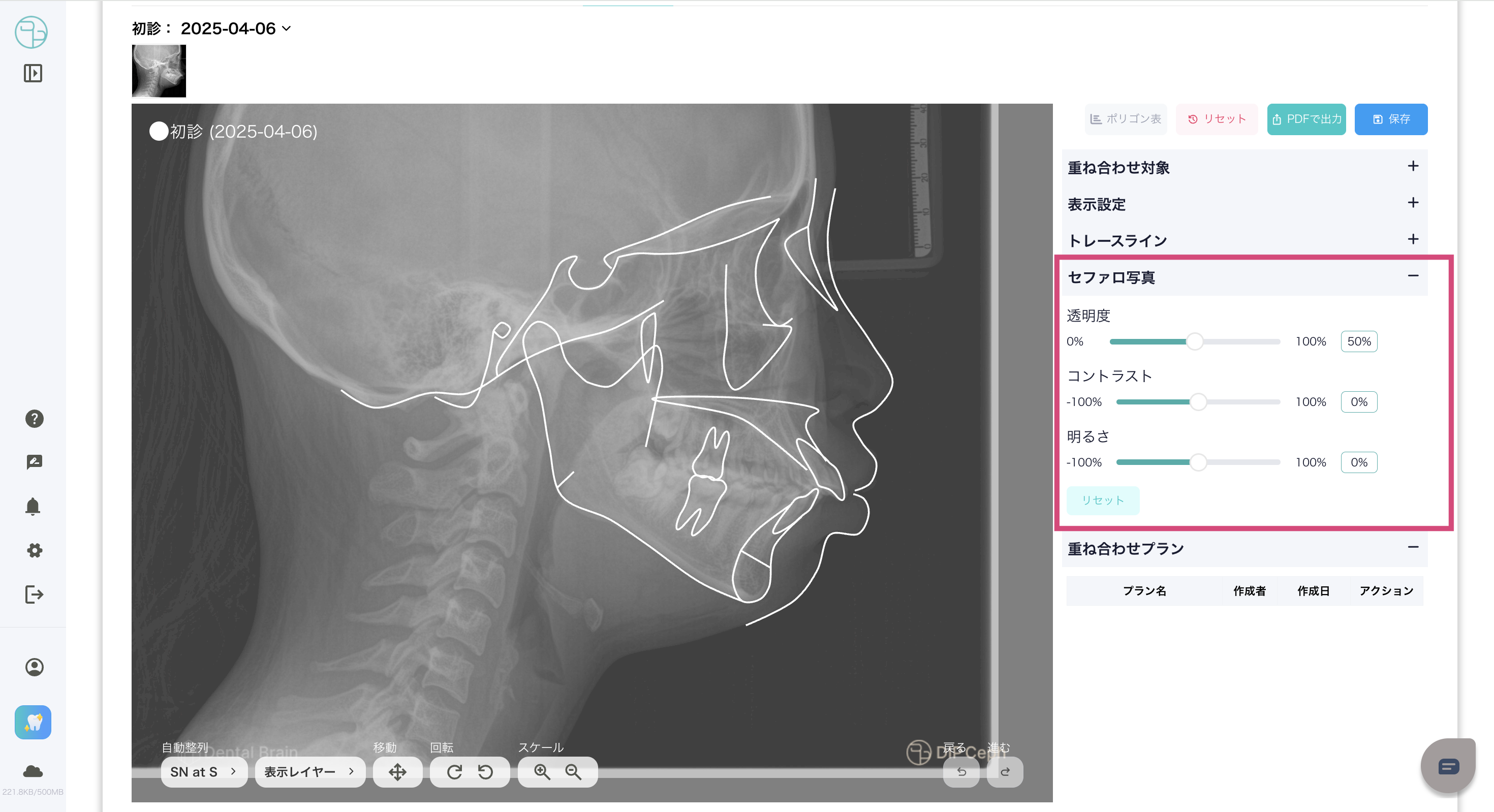
自動整列と位置調整 -Automatic alignment and justification-
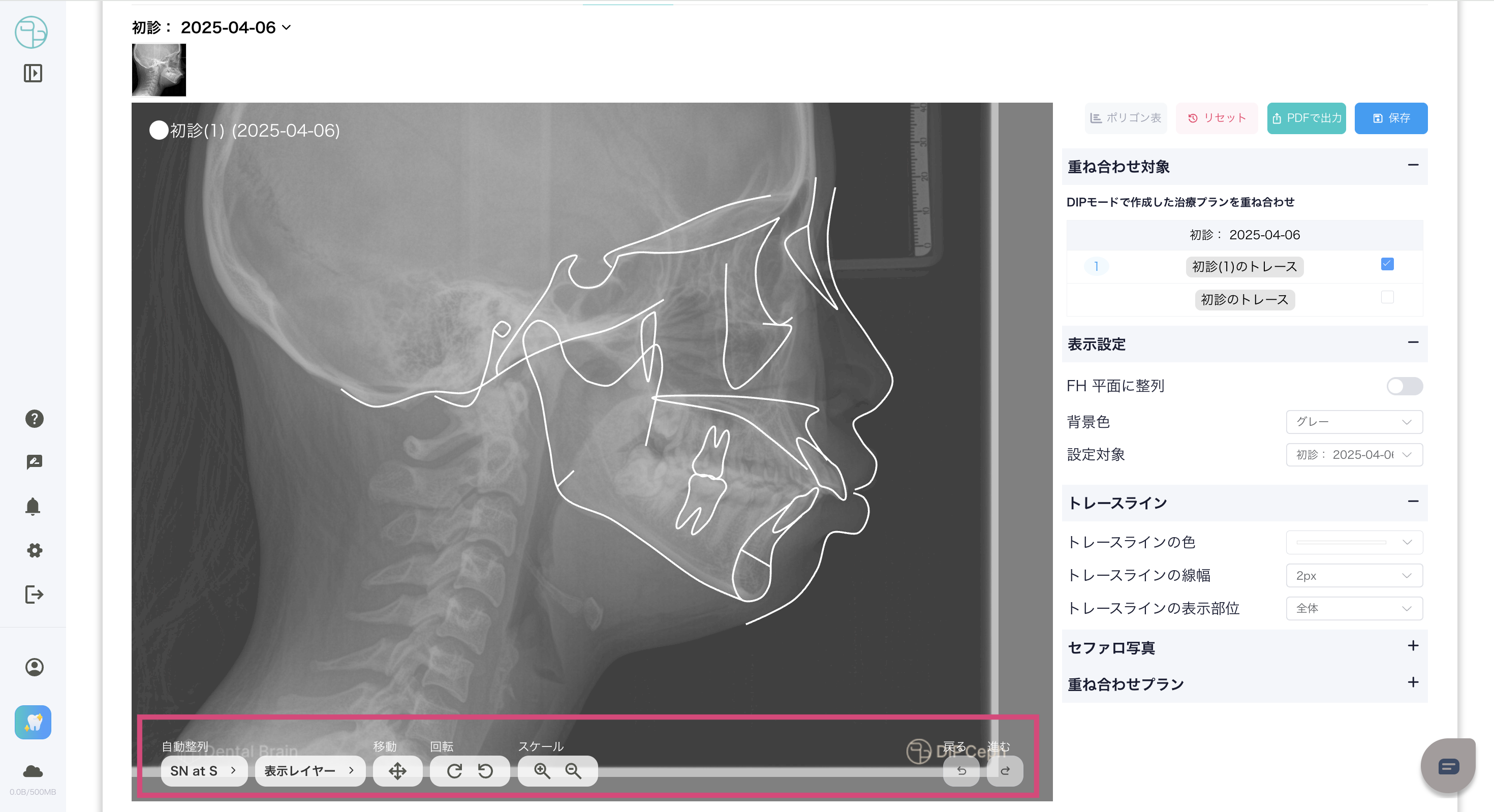
表示設定の自動整列より重ね合わせの設定を変更できます。-You can change the overlay settings from Auto Align in the display settings.
整列基準 -Alignment criteria-
- SN at S
- ANS-PNS at ANS
- Mand. plane at Me.
表示設定の操作パネル、もしくは左の表示画面をドラックし、各治療プランの位置、角度、大きさを調整できます。-You can adjust the position, angle, and size of each treatment plan by dragging the display screen on the left or using the display settings operation panel.
この記事は役に立ちましたか?
それは素晴らしい!
フィードバックありがとうございます
お役に立てず申し訳ございません!
フィードバックありがとうございます
フィードバックを送信しました
記事の改善におけるご協力ありがとうございます。