動画:セファロ分析【ポリゴン表】 -Video:Cephalometric analysis [polygon table]-ポリゴン表の主な機能 -Main functions of the polygon table-
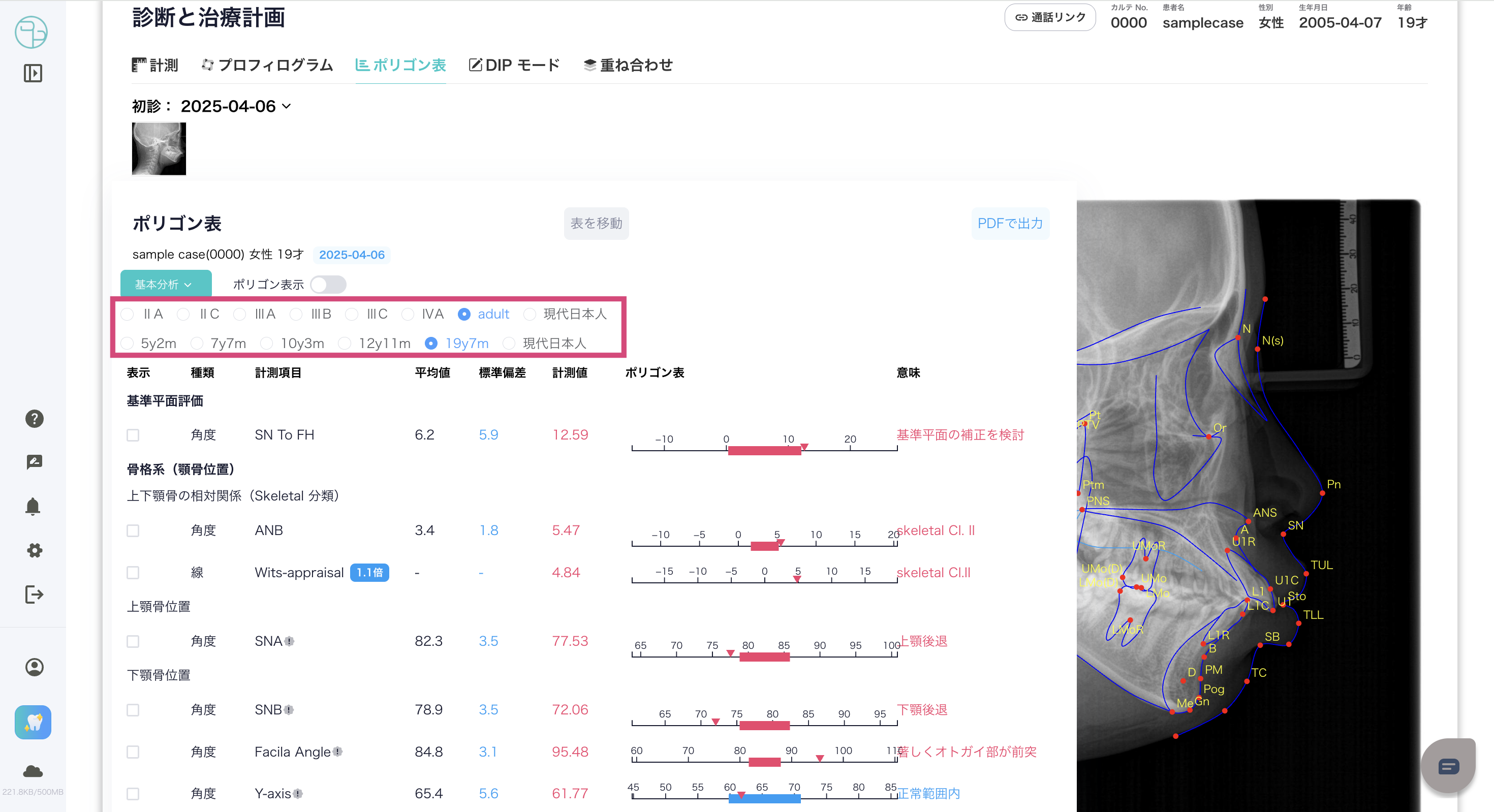
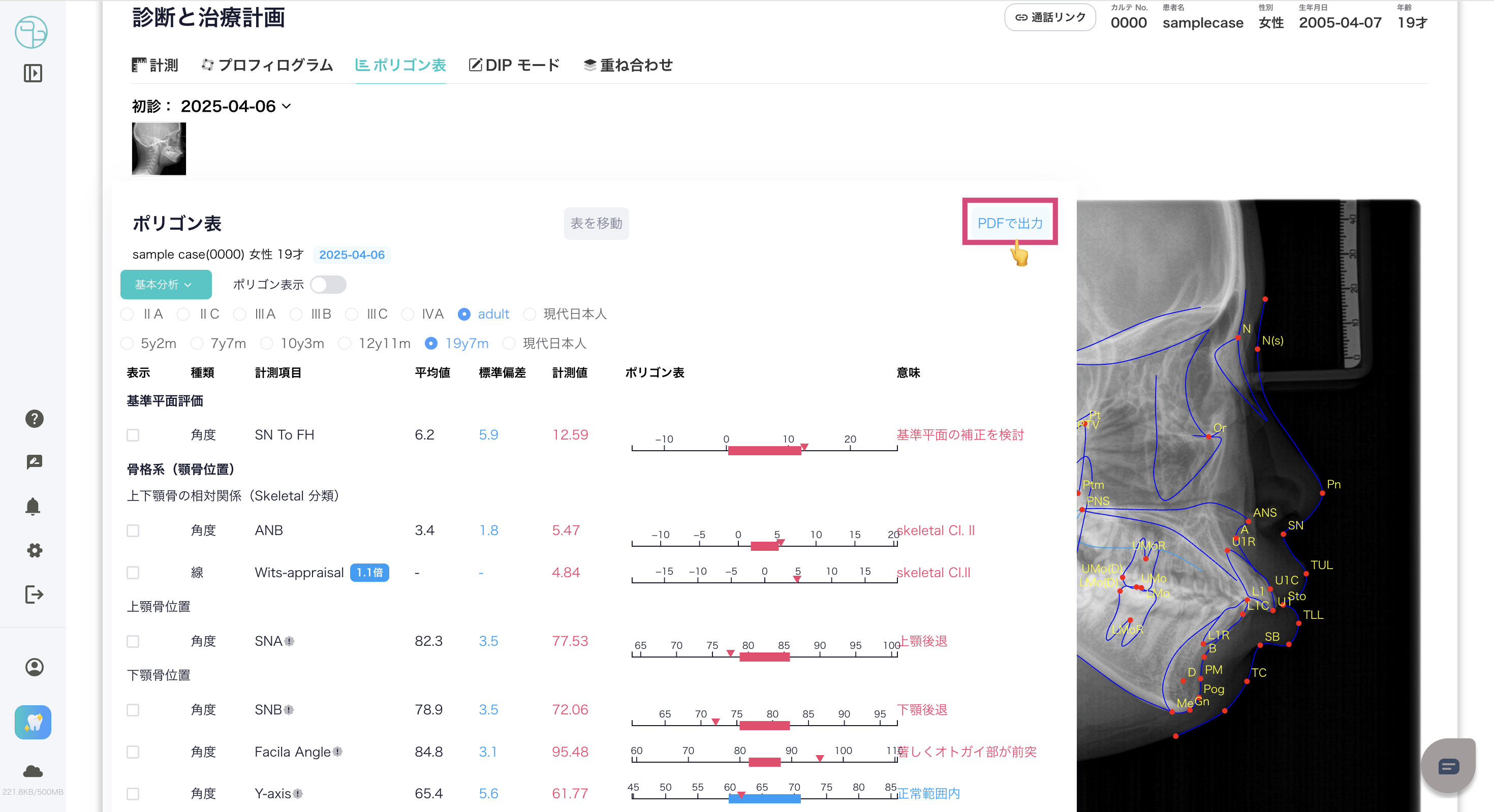
ステージの選択 -Stage selection-- 患者のステージに応じて選択が可能です。
- -You can select according to the patient's stage.
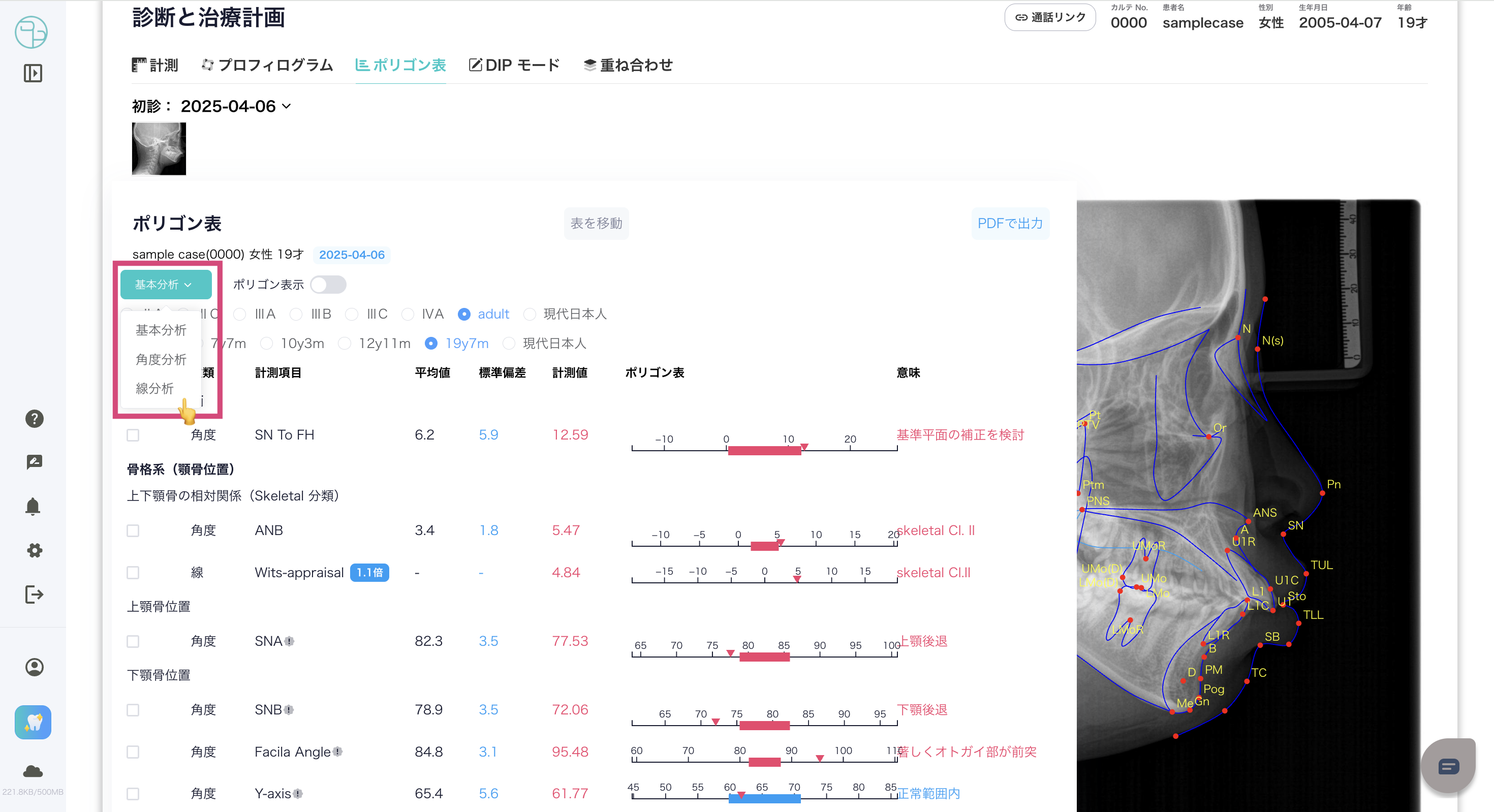
基本分析の切り替え -Switch basic analysis-- 下記のボタンより、基本分析ページの切り替えを行います。
- -Use the button below to switch the basic analysis page.
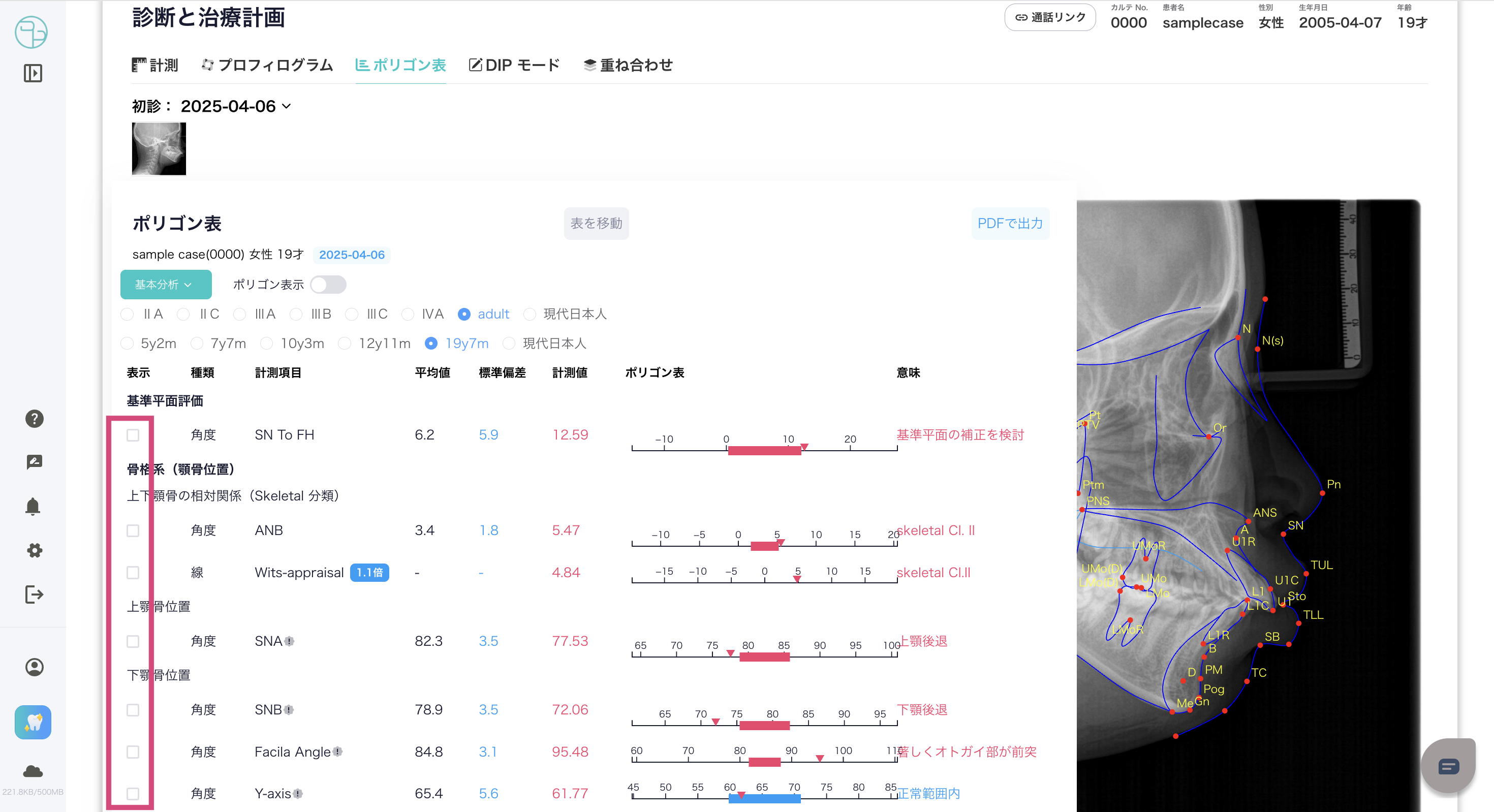
計測根拠の表示 -Display measurement basis-- 「表示」にチェックを入れることで、計測根拠を表示できます。
- -Check "Display" to display the measurement basis.
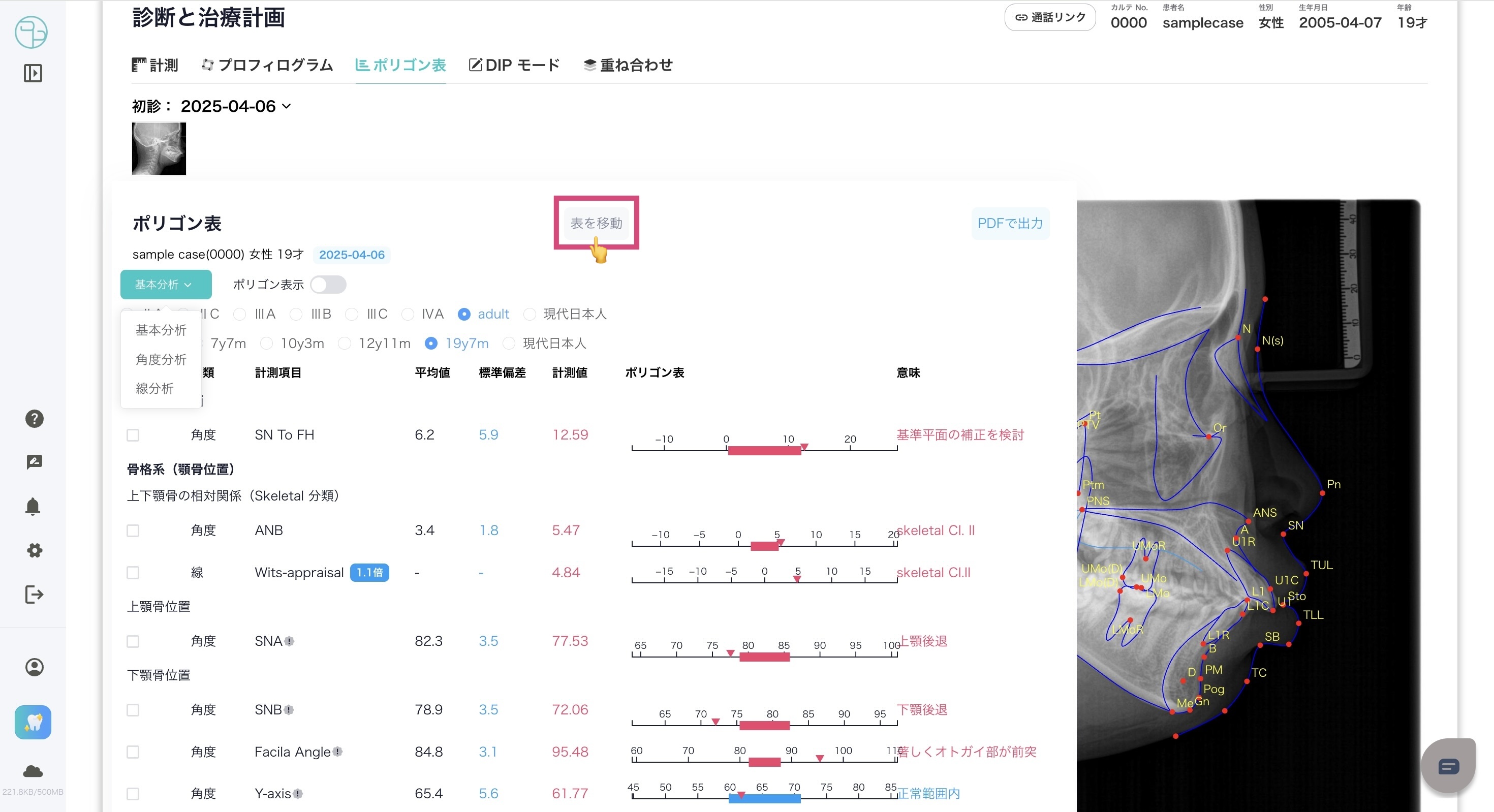
表の位置移動 -Move table position-- 「表を移動」ボタンをドラッグしながら表の位置を移動できます。
- -You can move the table position by dragging the "Move table" button.
PDF出力 -PDF output-- ポリゴン表をPDFで出力可能です。
- -Polygon tables can be output in PDF.
参考文献 -References-
本システムのプロフィログラム、ポリゴン表で使用してるデータについては、こちら→DIP Ceph 参考文献 をご確認ください。
-For the data used in the profilograms and polygon tables of this system, please see DIP Ceph References here.→DIP Ceph References
この記事は役に立ちましたか?
それは素晴らしい!
フィードバックありがとうございます
お役に立てず申し訳ございません!
フィードバックありがとうございます
フィードバックを送信しました
記事の改善におけるご協力ありがとうございます。